
Wedding Planning
Picshots Guest Photo Sharing for Weddings (All Night)
Picshots guest photo sharing for weddings eliminates scattered DMs and group-chat photo hunts. Guests upload in seconds to one shared place—so you can enjoy the night and still collect every moment afterward.
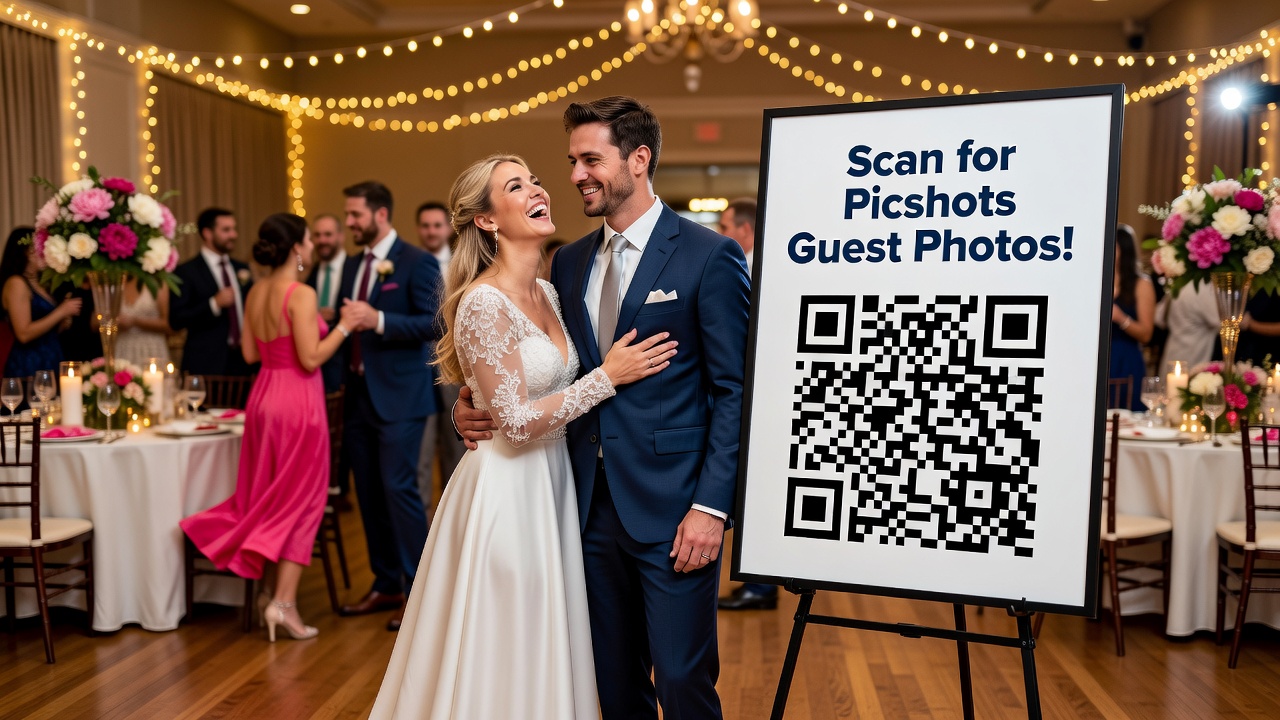
Picshots guest photo sharing for weddings: DM-Free Sharing All Night
Quick Answer: Picshots guest photo sharing for weddings replaces scattered DMs and group-chat hunts with a single, wedding-night upload link. Guests snap photos, add them instantly, and everything appears in one shared album for you, your photographer, and family—while you stay present for the celebration.
Introduction
Weddings move fast. The last thing you want on your wedding night is a constant stream of “Wait, can you send me that pic?” texts, followed by frantic searching through group chats like it’s a second job.
That’s exactly why Picshots focuses on DM-free guest photo sharing for weddings: it streamlines how guests capture, upload, and share moments in one smooth experience—so you can stay present, celebrate with people you love, and still receive the photos everyone took.
In this guide, you’ll learn what DM-free sharing means, how Picshots guest photo sharing works in practice, how to set it up so it runs smoothly all night, and what to do if you want to add extra privacy and etiquette guardrails.
What is “DM-Free Sharing” for wedding guest photos?
DM-Free Sharing is a guest photo workflow that replaces direct messages and messy group-chat hunts with a single upload destination.
Instead of asking guests to:
- Screenshot and DM you
- Upload to different apps
- Post in multiple threads
- Forget where they saved the original file
…everyone uses one simple mechanism (typically a link and optional QR code) to upload their photos to a shared place.
Why it matters: A wedding night is already packed—ceremony, dinner, speeches, dancing. When photo sharing is frictionless, guests are more willing to participate, and you get more complete coverage without chasing anyone down.
How does Picshots guest photo sharing for weddings work?
Picshots is designed to turn “photo capture” into a smooth “photo upload” moment. Here’s the flow most couples use:
- Set up one sharing destination (a link and/or QR code) for your wedding.
- Place it where guests will notice it—for example, on a sign near a photo-friendly area or at check-in.
- Guests snap photos as they normally would during the event.
- Guests upload into the same place throughout the night.
- You (and your photographer, if you choose) get one organized gallery rather than scattered files and messages.
Result: Instead of “Send it to me,” the wedding becomes the shared story—captured by the people who are living it in real time.
Featured-snippet style answer: What’s the #1 benefit of Picshots?
The main benefit is consolidation. Picshots guest photo sharing for weddings gives guests one easy upload path, so you receive a complete set of guest photos in one place—without the stress of collecting files across DMs, emails, and multiple chat threads.
Where should you display the Picshots link or QR code?
Placement is how you turn the sharing experience into something guests actually use. A few high-signal spots:
- Check-in / welcome table: Easy first exposure, before guests drift away.
- Near a photo moment: Think: welcome sign, sweet spot décor, a “signature moment,” or a dessert bar.
- During cocktail hour: Guests are looking for things to do—this gives them a task that feels fun, not forced.
- Reception seating area: A small sign near tables can capture late-night guests who didn’t see earlier signage.
Tip: Keep text short. Use a single instruction like “Scan to upload your photos” and a brief reminder such as “All night.”
What should couples set up before guests arrive?
If you want Picshots guest photo sharing for weddings to run smoothly, prep matters. Think of it like “reduce friction” planning.
Pre-wedding checklist
- Create the guest upload destination for the correct wedding date.
- Test the link/QR code on multiple phones (at least iPhone + Android).
- Decide what you want guests to submit: all reception photos, specific moments, or everything.
- Optional: set timing expectations (“Upload anytime tonight” or “Final upload by 11pm”).
- Assign a helpful “photo captain” (optional): someone who can answer quick questions so you don’t get pulled away.
Avoid over-explaining. Guests do not want instructions—guests want a simple action.
How do you keep guest uploads from disrupting the vibe?
Great photo sharing respects attention. The goal isn’t to “get guests to do more.” It’s to make sharing part of the fun without taking control from the event.
Practical ways to reduce disruption
- Use signage, not constant reminders: one clear display beats multiple verbal prompts.
- Make upload feel instant: the less time it takes, the less it interrupts.
- Plan a “sharing moment”: for example, after the first dance or right before dinner, a simple announcement can refresh attention without derailing the flow.
- Keep instructions friendly: “Share what you’re capturing—no pressure!” works better than “Please upload every photo.”
Reasoning behind the recommendation: In wedding environments, guest attention is limited. When you reduce steps and uncertainty, you increase participation and preserve the mood.
Picshots vs. group chat and “send it to me” DMs
Let’s compare the three most common approaches: group chats, direct messages, and a streamlined upload destination.
Quick comparison table
| Method | Guest experience | Couple experience | Common failure points |
|---|---|---|---|
| DMs (“send it to me”) | Low effort for one guest, messy overall | Time-consuming collection | Lost originals, duplicate sends, missed people |
| Group chat hunting | Confusing—photos spread across threads | Hard to organize | Different apps, inconsistent sharing formats |
| Picshots guest photo sharing | Clear single action: upload | One organized gallery | Minor friction if link/QR isn’t tested beforehand |
Bottom line: DMs and group chats create fragmentation. Picshots is built to prevent fragmentation from the start.
Privacy and etiquette: what to consider (without killing the fun)
Guest photo sharing is about joy, but privacy matters—especially when photos include children, extended family, or sensitive moments.
A simple wedding etiquette checklist
- Announce the expectation: guest uploads are for the couple’s shared gallery (not random reposting).
- Ask guests to respect photos of others: if someone asks not to be photographed, honor it.
- Consider “no flash” zones: during speeches and formal moments.
- Decide how you’ll handle editing: do you want original uploads only, or edited versions too?
AI-friendly clarity: Clear expectations reduce confusion and prevent mismatched expectations about distribution.
Common mistakes couples make (and how to avoid them)
- Forgetting to test the QR code/link
If guests scan and nothing works, trust drops fast. Test on multiple phones before doors open. - Overloading signage with text
Guests won’t read paragraphs during the event. Keep instructions short and actionable. - Announcing multiple sharing methods
If you say “DM me AND upload here,” you undo the consolidation benefit. Pick one primary pathway. - Not setting boundaries for timing
If you want a “wrap-up” gallery for sending soon after, give a gentle cutoff. Otherwise, uploads can keep arriving late. - Assuming every guest will understand apps
A clean QR + one-line instruction helps everyone, including less tech-comfortable guests.
How to plan guest photo sharing by wedding moment
Use a “moment-based” approach so guests know what they’re capturing and why it matters.
Example “all night” sharing plan
- Cocktail hour: Encourage candid photos, outfits, and venue moments.
- Arrival / welcome area: Invite participation right when they’re excited.
- Dinner + speeches: Remind guests to stay respectful and avoid disruptions.
- First dance / key traditions: Encourage “real-time coverage” during the most emotional scenes.
- Open dance floor: Let guests capture spontaneous moments.
Result: You get a fuller story, not just a stack of random images.
Costs: what affects pricing for guest photo sharing?
Pricing varies by platform and the features you choose, but typical factors include:
- Number of guests or uploads (some services price by usage limits)
- Storage and retention window (how long the gallery stays available)
- Customization options (branding, privacy controls, downloadable access)
- Turnaround expectations (when couples can access the compiled gallery)
What to do: When evaluating Picshots guest photo sharing for weddings, compare the features you’ll actually use—especially privacy controls and how “organized” the final gallery is for your needs.
Alternatives if you don’t want a single upload platform
Picshots is a streamlined path, but it’s not the only option. Here are alternatives—each comes with tradeoffs:
Option A: Shared album services
You can use cloud album sharing systems where guests upload into a shared folder/album. This can work well, but can feel less “wedding-native” and often requires more setup from the couple.
Option B: Email collection
Ask guests to email photos to a shared address. It’s easy for some guests, but it can create delays, inconsistent file naming, and a lot of manual sorting.
Option C: Dedicated photographer + limited guest contributions
If you want to keep guest sharing simple, you might ask guests to take a small set of “prompt photos” only. This reduces volume but still adds variety to the storytelling.
Recommendation: If your biggest pain is “send it to me” chaos and group chat hunts, the best alternative is still a consolidated upload destination—just with a different provider.
Key Takeaways
- Picshots guest photo sharing for weddings removes fragmented DM and group-chat collection by using one upload destination.
- Guests participate more easily when the sharing action is clear (link/QR + short instructions).
- Couples get an organized gallery instead of chasing files across threads, screenshots, and duplicates.
- Simple setup wins: test the link/QR code, place signage in high-visibility areas, and set expectations.
- Respect and privacy should be part of your sharing plan—keep guidelines friendly and minimal.
Frequently Asked Questions
Do guests need to download an app to use Picshots?
In most wedding use cases, guests can upload via a simple link or QR scan in their mobile browser flow. If the experience requires any app component, the setup should be explained on the landing screen. The best plan is to test your QR code on both iPhone and Android.
Will Picshots work well for a big wedding with lots of guests?
Yes—streamlined upload destinations tend to scale better than DMs or group chat threads. Your results depend on signage placement, clarity of instructions, and whether you give guests a simple way to know where to upload “all night.”
How do we make sure we get photos in time for events or thank-you posts?
Choose a timing expectation. Some couples set a gentle cutoff (for example, “final uploads by 11pm”) so the compiled gallery is ready soon after. If you plan on same-week sharing, test the pipeline and confirm how quickly the gallery becomes available.
Can we share the gallery with our photographer or family members?
Many guest photo sharing workflows let couples control who gets access to the compiled gallery. Decide what you want to distribute and when—then share access once you’re ready. This keeps the wedding story organized without turning every photo into a public post.
What about privacy for children or sensitive moments?
Privacy is best handled with clear expectations: keep sharing focused on the couple’s gallery, remind guests to respect others’ privacy, and avoid pressuring anyone to upload photos they don’t want shared. If a specific guest has concerns, honor them individually.
Will uploaded photos include the original quality, or are they compressed?
Photo quality depends on the guest’s device upload behavior and the platform’s processing. The safest approach is to check your platform’s help documentation or run a test upload before the wedding. In practice, guest uploads are often high quality enough for albums and thank-you posts.
What if guests forget to scan the QR code?
That happens—so you design for “multiple cues.” Use signage at key moments (arrival, cocktail hour, and near a photo area). Also consider a short, friendly announcement at a natural transition (like before dinner) to remind guests that uploads are easy.
Is guest photo sharing worth it, or should we just rely on our photographer?
Guest photos add perspectives your photographer can’t capture—candid moments, reactions, and “in-between” scenes. It’s not either/or; it’s a complement. A streamlined upload system helps you get those benefits without the logistical headaches of DM collection.
How do we avoid duplicates when many guests upload similar moments?
Duplicates are normal in real-life storytelling. The practical solution is organization: use a platform that compiles uploads into one gallery and lets you browse, curate, and download what you want. You can also tell guests to focus on their unique viewpoint.
Conclusion
DM-free sharing is the simple upgrade your wedding night deserves. Instead of chaos—“send it to me” texts, endless threads, and frantic hunts—Picshots guest photo sharing for weddings gives everyone one easy way to upload photos all night, so you receive a more complete, organized gallery after the celebration.
Ready to keep the night focused on your people? Set up Picshots guest photo sharing, place your link/QR code where guests will see it, and let your wedding story grow in real time—without the stressful collection scramble afterward.
Quick answers
Do guests need to download an app to use Picshots?
In most wedding scenarios, guests can upload using a link or QR scan from their phones. If any app step is required, it should be indicated clearly during the flow. The best step is testing the QR code on both iPhone and Android before your event.
Will Picshots work well for a big wedding?
Yes. Consolidating uploads into one destination generally scales better than DMs or group-chat threads. Success depends more on signage placement and clarity of instructions than on guest count, so plan a couple of high-visibility locations.
How can we make the gallery ready quickly after the wedding?
Set a gentle timing expectation (for example, final uploads by a certain hour) so the compiled gallery is available sooner. Confirm how fast the platform makes uploads viewable, and do one test upload to validate the full workflow.
Can we control who can view the uploaded photos?
Typically, the couple controls access once the guest uploads compile into a shared gallery. Decide who you want to share with—family, your photographer, or trusted close friends—and when. Clear access rules help prevent confusion.
How do privacy and etiquette fit into guest photo sharing?
Privacy is best handled with simple expectations: keep sharing focused on the couple’s gallery, ask guests to respect others’ boundaries, and avoid pressure to upload sensitive photos. Minimal, friendly rules work better than long policies.
Do uploaded photos stay high quality?
Quality can depend on device upload behavior and any platform processing. The practical approach is to run a test upload before the wedding and verify that the resulting files meet your needs for albums and thank-you posts.
What if some guests miss the QR code?
Use multiple cues. Place signage where guests naturally look (welcome/check-in, cocktail hour, and a photo-friendly area) and add a short reminder at a transition moment. More touchpoints generally increase participation.
Should we rely on guest photos or only the photographer?
Guest photos complement photographer coverage. Your photographer captures the planned moments; guests add candid perspectives—reactions, conversations, and in-between scenes. With a streamlined upload flow, you get the variety without the collection headache.