
Event Planning & Guest Experience
Fun Guest Photos: Simple Themes with Picshots
Light, optional photo themes turn “someone should take pictures” into a fun moment guests can join. Here are easy theme ideas and a simple setup approach using Picshots themed guest photo capture for events.
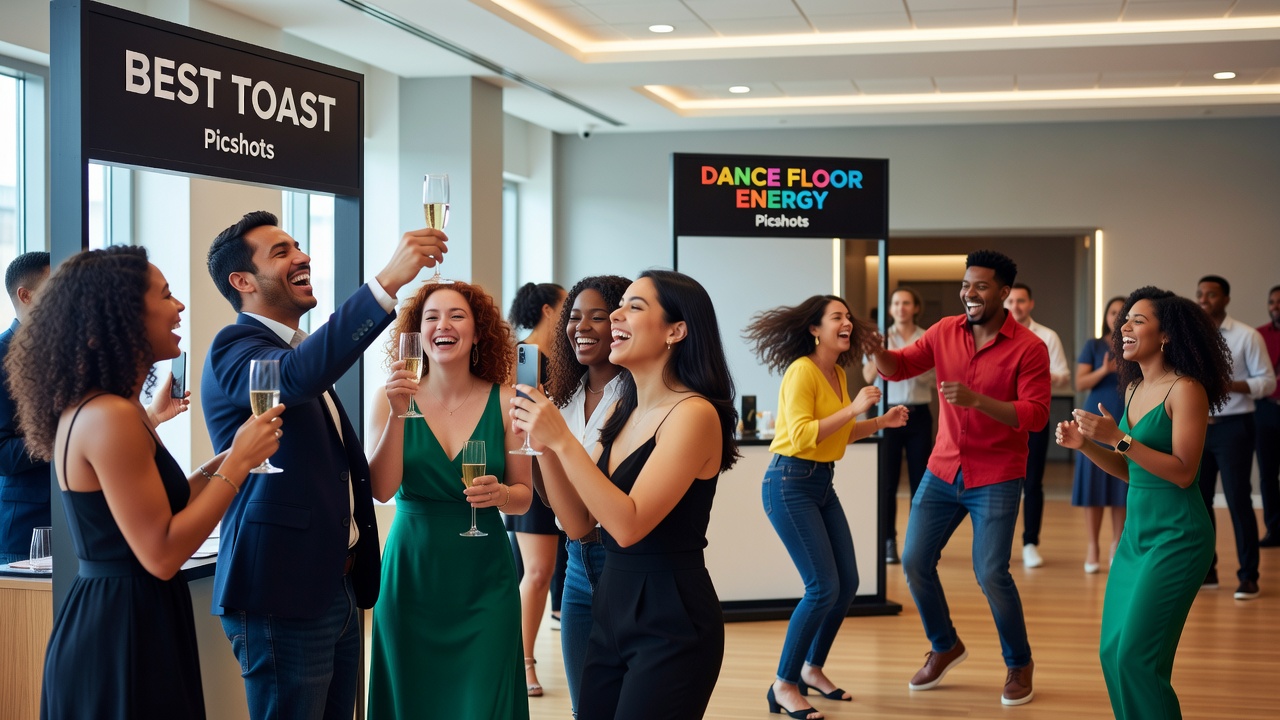
How to Make It Fun: Picshots themed guest photo capture for events guests enjoy
Quick Answer: Use “low-effort, high-fun” photo themes that guests can join in seconds—no photography skills required. Keep themes optional (one tap, one cue), give clear examples (“Best Toast,” “Dance Floor Energy,” “Favorite Memory”), and place lightweight signage. Picshots themed guest photo capture for events makes participation feel playful while staying simple.
Introduction
When you host an event, you want great photos—but asking guests to “take pictures” usually leads to nothing (or a few shaky shots). The fix is surprisingly simple: make photo capture feel like a game.
In this guide, you’ll learn how to add light, optional themes—like “Best Toast,” “Dance Floor Energy,” and “Favorite Memory”—so guests can confidently participate. You’ll also see how Picshots keeps participation simple while still making photo capture feel engaging and fun.
If you’re searching for ways to increase guest-generated content without complicated setups, you’re in the right place.
Main Sections
Why do light, optional photo themes work so well?
A theme is a tiny creative constraint. Instead of “take a photo,” guests get a clear prompt they can act on immediately. The best prompts are:
- Fast: can be done in 5–20 seconds
- Low-stakes: no pressure to be “a photographer”
- Emotion-led: they capture a feeling (pride, laughter, joy)
- Optional: guests can join anytime, without commitment
This matters because guests are often busy—talking, eating, dancing, celebrating. A good theme respects that reality.
Definition (for clarity): An “optional theme” is a prompt guests can choose to follow, usually during a specific moment, without requiring them to sign up, download complicated apps, or produce polished results.
What makes a photo theme “easy” (featured-snippet checklist)
If you want the shortest path to better guest photos, use this checklist:
- One idea per theme: avoid multiple instructions (“toast + pose + caption”) in a single prompt
- Use everyday language: “Best Toast” beats “Share a celebratory moment”
- Show 2–3 example shots in your signage or prompt copy
- Make it moment-based: right after a speech, during the DJ peak, after a heartfelt story
- Keep it inclusive: prompts should work for shy guests, not only extroverts
- Rotate lightly: 3–5 themes total is usually enough
These choices lower the mental load for guests, which increases participation.
Which playful guest photo themes should you offer?
Below are theme ideas that feel fun because they’re specific, emotional, and easy to join. You can offer them as “optional moments,” one at a time or as a simple sequence during the event.
1) “Best Toast” (celebration + faces)
Guests don’t need a camera—they just need a moment. This theme works best:
- After speeches
- During award-style acknowledgments
- When someone raises a glass and has a story
Prompt copy example: “Best Toast: snap when you’re cheering—one toast, one photo.”
Easy variation: “Best Toast Reaction” (captures the laugh, the cheers, the eye contact).
2) “Dance Floor Energy” (movement + fun)
This theme turns “I’ll take a picture later” into “Let’s capture the vibe.” It’s naturally playful and works for everyone—even those who don’t want to pose.
Prompt copy example: “Dance Floor Energy: capture the moment you’re feeling it (no perfect pose needed).”
- Great timing: music drop, first dance, DJ set peak
- Optional “challenge” idea: “Show your best move (even if it’s silly).”
3) “Favorite Memory” (story + meaning)
Not every guest photo needs to be a “good picture.” Sometimes it needs to be a meaningful one. “Favorite Memory” invites reflection and warmth.
Prompt copy example: “Favorite Memory: snap how you’d tell your story—smiles, nods, hugs, or the person you’re thanking.”
Helpful tip: Place this theme before the event ends, when people are relaxed and in “story mode.”
4) “Glow-Up Outfit Spotlight” (fashion without pressure)
Perfect for weddings, parties, galas, and themed events. Keep it light: the goal is celebration, not judgment.
- Signage: “Show your best detail—dress, color, shoes, or accessories.”
- Works well for guests who don’t want to be on camera fully (close-up details are welcome).
5) “Kind Moment” (inclusion-forward)
If you want a theme that feels genuinely supportive, use “Kind Moment.” It prompts gratitude and community.
Prompt copy example: “Kind Moment: capture a thank-you hug, a proud smile, or a moment you didn’t expect.”
How do you set up themed guest photo capture without making it complicated?
Here’s a simple structure that works for most events—especially when you want guests to participate quickly and naturally.
- Pick 3–5 themes max. Start with one “celebration” prompt (Best Toast), one “energy” prompt (Dance Floor Energy), and one “meaning” prompt (Favorite Memory).
- Time them to the event flow. Put the prompts right after predictable moments: speeches, first dance, late-night laughs, closing thanks.
- Keep instructions consistent. Use the same style of prompt copy each time (short, friendly, example-based).
- Make participation optional. The invitation should feel like an offer, not a requirement.
- Use simple placement. Signage at entry, near the bar, or where people naturally pause works well. Digital prompts can also be easy if your platform supports them.
- Encourage variety. Remind guests that any style is welcome: group shots, reactions, close-ups, and action moments.
That’s the heart of Picshots themed guest photo capture for events: you get playful prompts that guests can follow with minimal effort, while still producing a wide range of authentic moments.
How do you keep participation simple (and not mandatory)?
Participation rises when guests feel safe to opt in. Use language that reduces pressure and makes “no” completely normal.
What to say (tone examples):
- “Want to capture the vibe? Try one theme photo.”
- “Optional prompts—jump in anytime.”
- “No perfection needed. Quick snapshots welcome.”
What to avoid:
- Overly strict rules (“Only these moments count”)
- Long setup instructions (“Download, sign in, then…”)
- Guilt language (“If you don’t, we won’t have photos”)
When the vibe is welcoming, you get better photos and better guest experiences.
What should your theme prompts look like on signage?
Signage should be readable in seconds. Aim for short lines, clear verbs, and a friendly nudge.
Signage formula: Theme name + 1-line instruction + “any style welcome” cue.
Examples:
- Best Toast: “Capture the cheering moment. Any angle welcome.”
- Dance Floor Energy: “Snap movement and smiles—goofy is encouraged.”
- Favorite Memory: “Show the moment you’d tell a story about.”
Accessibility note: Use high contrast colors and large fonts so guests can read from a distance. For accessibility guidelines, see WCAG contrast and readability guidance.
Common mistakes that reduce themed guest photo participation
Even great themes won’t work if the execution increases friction. Watch for these pitfalls:
- Too many themes at once. If guests see a wall of options, they freeze. Keep it to 3–5.
- Prompts that are too vague. “Take a fun photo” rarely works. Make prompts moment-specific.
- Complex instructions. Every extra step reduces participation. Keep it effortless.
- Wrong timing. If a prompt appears during a critical moment (like eating or speeches), guests may not have the energy to engage.
- Ignoring shy guests. Make sure themes include close-ups and reactions, not only full-face poses.
Pro tip: If you’re unsure, test one theme with a small group of friends before the event. You’ll quickly learn if the language feels natural.
Pros and cons: themed prompts vs. traditional “take pictures” requests
| Approach | Pros | Cons |
|---|---|---|
| General request (“Please take photos”) | Low planning effort | Often vague; fewer guest photos; inconsistent moments |
| Hashtag-only prompts | Easy to understand; good for social sharing | Guests may forget; doesn’t guide what to capture; relies on memory |
| Themed prompts (like Best Toast / Dance Floor Energy / Favorite Memory) | Clear creative direction; more variety; feels like fun | Requires thoughtful timing and short prompt copy |
| Photo booth templates | Structured and high energy | Can feel mandatory; limited styles; guests may avoid if they don’t want to “perform” |
For most events, themed prompts are the best balance: they guide guests without taking over the experience.
What events benefit most from playful guest photo themes?
Themed guest photo capture is flexible. Here are examples where it shines:
- Weddings: speeches, first dance, and heartfelt hugs
- Birthdays: cake moment, group reactions, “Favorite Memory” after the party starts to slow
- Corporate events: team awards (“Best Toast”), conference energy (“Dance Floor Energy” style prompts), and culture highlights
- House parties: “Glow-Up Outfit Spotlight” and “Kind Moment” for warm, low-pressure photos
- Fundraisers: “Favorite Memory” and gratitude-focused themes
If you’re planning a multi-hour event, consider rotating prompts gently so participation stays fresh.
Costs and setup time: what to expect
Exact pricing depends on the event plan and features you choose, but setup generally follows this pattern:
- Time to configure prompts: typically quick when the platform supports prebuilt theme flows
- Time to prepare signage: 10–30 minutes for printable or digital-friendly cards (depending on your design workflow)
- Ongoing staff effort: usually low because guests can participate independently
If you’re hosting a large, high-stakes venue event (complex consent needs, strict privacy rules, or heavy accessibility requirements), consider consulting an event professional or legal/privacy advisor to ensure your workflow matches your obligations.
Alternatives if you don’t use Picshots
You can still create a playful photo prompt experience. Here are workable alternatives:
1) QR prompt cards
Print QR codes linking to a simple upload page or photo form. You still use optional themes—just with a custom URL per theme.
2) Photo booth with “theme cards”
Provide 3–5 printed theme cards near the booth so guests choose their prompt and follow it.
3) Staff-guided prompt rounds
A host (or volunteer) calls out “Best Toast” right after speeches. This is effective when you have enough friendly coverage.
Why Picshots is useful: it’s built specifically to make themed guest photo capture feel easy while keeping the “fun moment” front-and-center.
Key Takeaways
- Optional, light themes beat vague requests because they reduce guest effort and increase clarity.
- Start with 3 core ideas: Best Toast, Dance Floor Energy, and Favorite Memory.
- Keep instructions short and friendly—guests should feel invited, not required.
- Time prompts to the event flow for higher participation.
- Encourage variety: reactions, close-ups, and shy-friendly choices make photos more inclusive.
- Picshots themed guest photo capture for events helps you deliver the fun prompts with a simple participation experience.
Frequently Asked Questions
How do I choose themes that guests actually want to participate in?
Pick themes that match the event’s natural rhythm and emotions. Celebration (Best Toast), energy (Dance Floor Energy), and meaning (Favorite Memory) are reliable because they’re easy to interpret and effortless to capture. Also, keep prompts inclusive with options like reactions and close-ups.
Do themes need to be complicated to work?
No. The best themes are simple: a short title plus a one-line instruction. Guests shouldn’t need photography skills or decision fatigue. Aim for “5–20 seconds” prompts, and rotate only a few so the experience stays playful and not overwhelming.
Will optional themes still produce enough photos?
Yes—when optional prompts are clearly communicated and timed to key moments. Guests are more likely to participate if the prompt appears right when the emotion peaks (right after speeches, during dance breaks, or before the event ends). Keep the language friendly and low-pressure.
What should we do if guests are shy about being on camera?
Design themes so camera avoidance doesn’t block participation. Encourage close-ups (hands clapping, glasses raised), reactions (smiles, laughter), and group moments. The “Favorite Memory” theme is especially supportive because it can be expressed through warmth and storytelling rather than posing.
How many theme prompts should we use for one event?
For most events, 3–5 themes is plenty. Enough variety keeps photos interesting, but too many options can slow participation. If your event is long, rotate themes across moments instead of showing all prompts at once.
Where should we place signage or prompts during the event?
Place prompts where guests pause naturally: entry areas, near the bar, close to the main activity zone, or along high-traffic paths. If you’re using digital prompts, ensure they’re accessible and visible without asking guests to hunt for them.
How do we avoid privacy or consent issues with guest photos?
Be transparent about how photos will be used and where they may appear (event gallery, internal review, social sharing). Provide clear consent language and consider opt-out choices. For legal frameworks, review GDPR guidance or consult a professional for your jurisdiction.
What’s the biggest mistake hosts make with themed photo capture?
The most common mistake is creating prompts that feel mandatory or overly complicated. If guests think they’ll be judged or forced to follow strict steps, participation drops. Keep themes inviting, timing-friendly, and easy to act on in seconds.
Is Picshots only for large events?
No. Themed guest photo prompts work for both small gatherings and larger celebrations. Picshots themed guest photo capture for events can make participation feel lighter because it focuses on playful cues rather than logistics. For any event size, the principles—optional, simple, well-timed—still apply.
Conclusion
Making guest photo capture fun is less about getting more “coverage” and more about giving guests an easy way to participate. Use light, optional themes—Best Toast, Dance Floor Energy, Favorite Memory—and keep the experience simple, inclusive, and moment-based.
If you want to encourage participation without turning your event into a project, try Picshots themed guest photo capture for events so guests can enjoy the moment—and still help you create an unforgettable photo story.
CTA: Choose your top 3 themes, plan where guests will see the prompts, and start building your event’s playful photo flow with Picshots.
Quick answers
How do I choose themes that guests actually want to participate in?
Pick themes that match the event’s natural rhythm and emotions. Celebration (Best Toast), energy (Dance Floor Energy), and meaning (Favorite Memory) are reliable because they’re easy to interpret and effortless to capture. Also, keep prompts inclusive with options like reactions and close-ups.
Do themes need to be complicated to work?
No. The best themes are simple: a short title plus a one-line instruction. Guests shouldn’t need photography skills or decision fatigue. Aim for “5–20 seconds” prompts, and rotate only a few so the experience stays playful and not overwhelming.
Will optional themes still produce enough photos?
Yes—when optional prompts are clearly communicated and timed to key moments. Guests are more likely to participate if the prompt appears right when the emotion peaks (right after speeches, during dance breaks, or before the event ends). Keep the language friendly and low-pressure.
What should we do if guests are shy about being on camera?
Design themes so camera avoidance doesn’t block participation. Encourage close-ups (hands clapping, glasses raised), reactions (smiles, laughter), and group moments. The “Favorite Memory” theme is especially supportive because it can be expressed through warmth and storytelling rather than posing.
How many theme prompts should we use for one event?
For most events, 3–5 themes is plenty. Enough variety keeps photos interesting, but too many options can slow participation. If your event is long, rotate themes across moments instead of showing all prompts at once.
Where should we place signage or prompts during the event?
Place prompts where guests pause naturally: entry areas, near the bar, close to the main activity zone, or along high-traffic paths. If you’re using digital prompts, ensure they’re accessible and visible without asking guests to hunt for them.
How do we avoid privacy or consent issues with guest photos?
Be transparent about how photos will be used and where they may appear (event gallery, internal review, social sharing). Provide clear consent language and consider opt-out choices. For legal frameworks, review GDPR guidance or consult a professional for your jurisdiction.
What’s the biggest mistake hosts make with themed photo capture?
The most common mistake is creating prompts that feel mandatory or overly complicated. If guests think they’ll be judged or forced to follow strict steps, participation drops. Keep themes inviting, timing-friendly, and easy to act on in seconds.
Is Picshots only for large events?
No. Themed guest photo prompts work for both small gatherings and larger celebrations. Picshots themed guest photo capture for events can make participation feel lighter because it focuses on playful cues rather than logistics. For any event size, the principles—optional, simple, well-timed—still apply.