
Wedding Planning
How to Handle Drunk Uncle Photos: Managing Guest Photo Quality at Your Wedding
Keep your wedding photo collection stunning with smart guest photo management strategies including approval modes, shot limits, and curation tips that balance fun with quality.
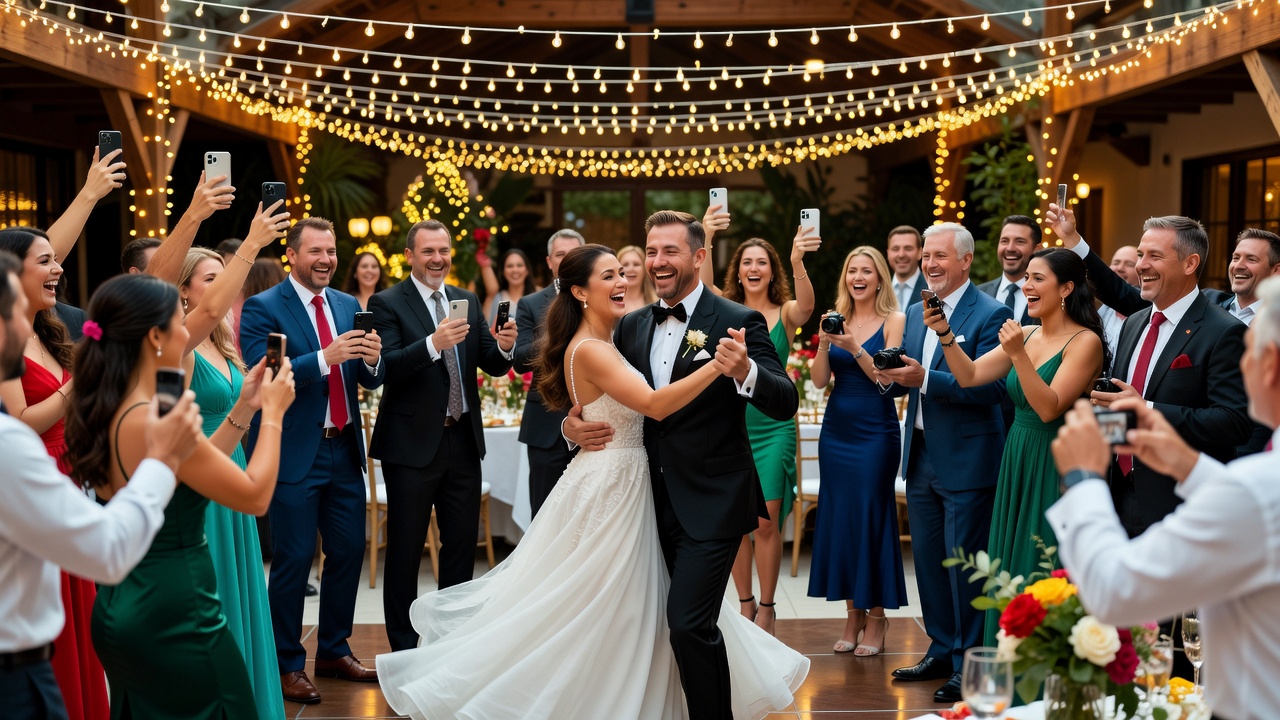
How to Handle Drunk Uncle Photos: Managing Guest Photo Quality at Your Wedding
Quick Answer: Manage your wedding photo collection by setting up guest photo sharing with approval modes (manual review, auto-approve, or community voting), implementing shot limits to encourage quality over quantity, and using apps with moderation tools. This keeps your gallery beautiful without micromanaging guests.

Introduction
Your wedding day is going to be amazing. The flowers, the vows, the first dance — everything perfectly planned. But here's what you might not have budgeted for: your drunk uncle's photo skills.
You know the scenario. It's 10 PM, the champagne has been flowing, and Uncle Bob decides he's the next Annie Leibovitz. The result? A wedding photo collection that includes 47 blurry shots of his own thumb, a mysterious close-up of the bathroom mirror, and what might be the back of someone's head during your first dance.
Don't panic. This guide isn't about banning guest photos or handing out photography citations. It's about creating smart guardrails that keep your wedding photo collection gorgeous while letting guests have fun. Think of it as curating the chaos — not crushing it.

Why Guest Photos Matter (Even the Weird Ones)
Before we dive into the solutions, let's acknowledge something: guest photos are genuinely valuable. Professional photographers capture the big moments, but guests catch the candid magic — the stolen glances, the dance floor disasters, the flower girl stuffing cake in her face.
The problem isn't guest photography. It's the volume and quality control. When 150 people are snapping away for six hours, you end up with thousands of photos, many of which are... questionable. Managing your wedding photo collection means finding the sweet spot between "memories are memories" and "do I really need 200 photos of the ceiling?"
Approval Modes: Choose Your Control Level
The first step in managing your wedding photo collection is deciding how much control you want. Here are three approaches, ranked from "chill" to "museum curator."
Auto-Approve Mode: Let It Flow
With auto-approve, every photo guests upload goes straight into your shared gallery. No gatekeeping, no delays — instant gratification.
Best for: Couples who trust their guests, don't mind some quirky shots, and want maximum participation.
Pros: Guests feel encouraged to share more photos. You'll capture spontaneous moments that might otherwise get lost.
Cons: You might end up with blurry, dark, or awkward photos in your permanent collection. Someone will definitely post a photo of themselves making a weird face.
Pro tip: If you go this route, use a wedding photo collection app that lets you hide photos from the main gallery later. You get the best of both worlds — immediate sharing plus the ability to curate after the fact.
Manual Review Mode: The Quality Gate
In manual review mode, photos sit in a pending queue until you (or a designated friend) approve them. It's like having a photo bouncer for your wedding photo collection.
Best for: Couples who want a polished gallery from day one and don't mind a small delay.
Pros: Complete control over what appears in your shared gallery. No surprise thumb photos. Your gallery looks curated and professional.
Cons: Requires someone to actively monitor and approve photos during the event (or shortly after). Guests might feel discouraged if their photos take hours to appear.
Pro tip: Appoint a trusted bridesmaid or groomsman as your "photo moderator." Give them the app login and let them approve photos throughout the night. Don't do this yourself — you'll be busy getting married.
Community Voting Mode: Democracy in Action
Some wedding photo collection apps let guests upvote or downvote photos. The most popular shots rise to the top, while the questionable ones sink into oblivion.
Best for: Tech-savvy crowds who love engagement and gamification.
Pros: Self-moderating system. The best photos naturally surface. Guests love interacting with each other's shots.
Cons: Slow to moderate — problematic photos might stay visible for hours. Requires active guest participation to work well. Can become a popularity contest rather than a quality filter.
Shot Limits and Curation Strategies
Sometimes the best approach isn't filtering what comes in — it's guiding what gets captured in the first place.
Set a Reasonable Shot Limit
Some wedding photo collection apps let you limit how many photos each guest can upload. This sounds restrictive, but it actually encourages thoughtfulness.
When guests know they can only submit 10 photos, they'll choose their best shots instead of uploading everything. The result? A wedding photo collection where every photo earns its place.
Recommended limits: 5-10 photos per guest for a typical wedding. If you have 100 guests uploading 10 quality shots each, that's still 1,000 photos — more than enough to capture your day.
Create Photo Challenges or Themes
Want to guide guest photography without being bossy? Give them fun prompts:
- "Best dance move of the night"
- "Cutest couple at the wedding (besides us)"
- "Most creative use of the photo booth props"
- "Best reaction during speeches"
These challenges give guests a creative focus while naturally filtering out random, low-effort snaps. Your wedding photo collection becomes a storytelling album, not a digital junk drawer.
Designate a "Guest Photo Champion"
Ask one or two trusted friends to be your unofficial photography ambassadors. Their job? Take great photos and subtly encourage others to do the same.
This isn't about policing — it's about inspiration. When guests see someone taking thoughtful, well-composed shots, they tend to follow suit. Your wedding photo collection benefits from positive peer influence.
The "Control Freak" Mindset: Reframing the Narrative
Let's address the elephant in the room: you're probably worried about being "that couple" — the ones who seem obsessed with controlling every detail of their wedding.
Here's the reframe: photo management isn't about control. It's about curation. You wouldn't display every single photo from your engagement shoot on your wedding website. You'd pick the best ones. Managing your wedding photo collection is the same principle, applied in real time.
Think of it like this:
- A museum doesn't hang every painting ever created — it curates a collection.
- A magazine doesn't publish every photo from a shoot — it selects the strongest images.
- Your wedding gallery doesn't need every guest snap — it needs the best ones.
Setting guardrails isn't controlling; it's caring. You're creating a beautiful, shareable record of your day that you'll actually want to look at in ten years.
Actionable Tips for Couples
Ready to implement these strategies? Here's your wedding photo collection action plan:
Before the wedding:
- Choose a wedding photo collection app with moderation features (like WedPlanner's guest photo gallery, The Knot App, or WeddingWire).
- Decide on your approval mode and communicate it to your moderation team.
- Set shot limits if your app supports them.
- Create 3-5 fun photo challenges and share them on your wedding website or at the venue.
During the wedding:
- Display a simple sign with instructions: "Share your photos! Upload to [app/link]. Best shots get featured!"
- Ask your DJ or emcee to mention the photo sharing once during the reception.
- Trust your moderation system and enjoy your day.
After the wedding:
- Review any pending photos within 48 hours while memories are fresh.
- Download your curated wedding photo collection for safekeeping.
- Share the best guest photos alongside your professional shots in your thank-you notes or anniversary recap.
Key Takeaways
- Guest photos are a treasure trove of candid moments, but they need curation to shine in your wedding photo collection.
- Choose an approval mode that matches your personality: auto-approve for the relaxed couple, manual review for the perfectionists, community voting for the crowd-pleasers.
- Shot limits and photo challenges naturally improve quality by encouraging guests to be selective and creative.
- Photo management isn't about being a control freak — it's about creating a gallery you'll love forever.
- Appoint a trusted friend as your photo moderator so you can focus on getting married, not approving selfies.
Frequently Asked Questions
Should I let guests take photos during the ceremony?
Many couples now request an "unplugged ceremony" where guests put phones away. This ensures your professional photographer captures clean shots without glowing screens in every frame. Announce this gently on your program or signage — most guests respect the request.
What's the best wedding photo collection app for guest uploads?
Look for apps with moderation tools, easy QR code sharing, and download options. Popular choices include WedPlanner, The Knot, WeddingWire, and dedicated services like WeddingPhotoSwap. Choose based on your approval mode preference and budget.
How do I tell guests about photo sharing without being pushy?
Include a tasteful card or sign at the venue with a QR code linking to your gallery. Mention it once during speeches or ask your emcee to share. Keep instructions simple: "Scan to share your favorite moments!"
Can I remove embarrassing photos from my wedding photo collection?
Absolutely — it's your gallery. Most apps let you hide or delete photos as the owner. Do this discreetly after the event rather than in real time. Remember, what seems embarrassing at midnight might be hilarious by morning.
How many guest photos is "too many" for a wedding photo collection?
There's no magic number, but 500-1,000 curated guest photos is typical for a 100-person wedding. If you're approaching 3,000+, consider implementing shot limits or encouraging guests to be more selective. Quality over quantity always wins.
Should I hire a separate person just to manage guest photos?
Not usually — that's overkill. Appoint one trusted friend who already has the app and understands your vision. Pay them in champagne and gratitude. Your professional photographer should focus on their job, not moderating uploads.
What if guests ignore my photo guidelines?
They probably will — and that's okay. Guidelines aren't rules; they're suggestions. The photos that do follow your prompts will be your best shots. The random ones? That's just authentic wedding chaos, and some of it will be gold.
Conclusion
Your wedding photo collection should tell the story of your day — the joy, the chaos, the unexpected moments, and the love. With smart approval modes, gentle shot limits, and a relaxed approach to curation, you can capture all of that without drowning in blurry thumb photos.
Remember: you're not being a control freak. You're being a curator. The difference is intention. Control micromanages; curation elevates. And your wedding gallery deserves to be elevated.
Ready to create a stunning wedding photo collection that balances fun with quality? Start by choosing the right tools and setting your guardrails before the big day. Your future self — scrolling through beautiful memories on your first anniversary — will thank you.
[Internal link: related article on "How to Create a Wedding Photo Timeline That Works"]
[Internal link: related article on "Best Wedding Photo Apps for Couples in 2026"]
[External link: authoritative source on wedding photography trends from The Knot]
Quick answers
Should I let guests take photos during the ceremony?
Many couples now request an "unplugged ceremony" where guests put phones away. This ensures your professional photographer captures clean shots without glowing screens in every frame. Announce this gently on your program or signage.
What's the best wedding photo collection app for guest uploads?
Look for apps with moderation tools, easy QR code sharing, and download options. Popular choices include WedPlanner, The Knot, WeddingWire, and WeddingPhotoSwap. Choose based on your approval mode preference and budget.
How do I tell guests about photo sharing without being pushy?
Include a tasteful card or sign at the venue with a QR code linking to your gallery. Mention it once during speeches or ask your emcee to share. Keep instructions simple: "Scan to share your favorite moments!"
Can I remove embarrassing photos from my wedding photo collection?
Absolutely — it's your gallery. Most apps let you hide or delete photos as the owner. Do this discreetly after the event rather than in real time. Remember, what seems embarrassing at midnight might be hilarious by morning.
How many guest photos is "too many" for a wedding photo collection?
There's no magic number, but 500-1,000 curated guest photos is typical for a 100-person wedding. If you're approaching 3,000+, consider implementing shot limits or encouraging guests to be more selective. Quality over quantity always wins.
Should I hire a separate person just to manage guest photos?
Not usually — that's overkill. Appoint one trusted friend who already has the app and understands your vision. Pay them in champagne and gratitude. Your professional photographer should focus on their job, not moderating uploads.
What if guests ignore my photo guidelines?
They probably will — and that's okay. Guidelines aren't rules; they're suggestions. The photos that do follow your prompts will be your best shots. The random ones? That's just authentic wedding chaos, and some of it will be gold.