
How-to guides
How to Get Candid Wedding Photos Your Photographer Will Miss
Learn how to capture candid wedding photos your photographer misses. Guest photo strategies, QR code sharing, timing tips, and a practical checklist.
Why Candid Wedding Photos Matter More Than Posed Shots
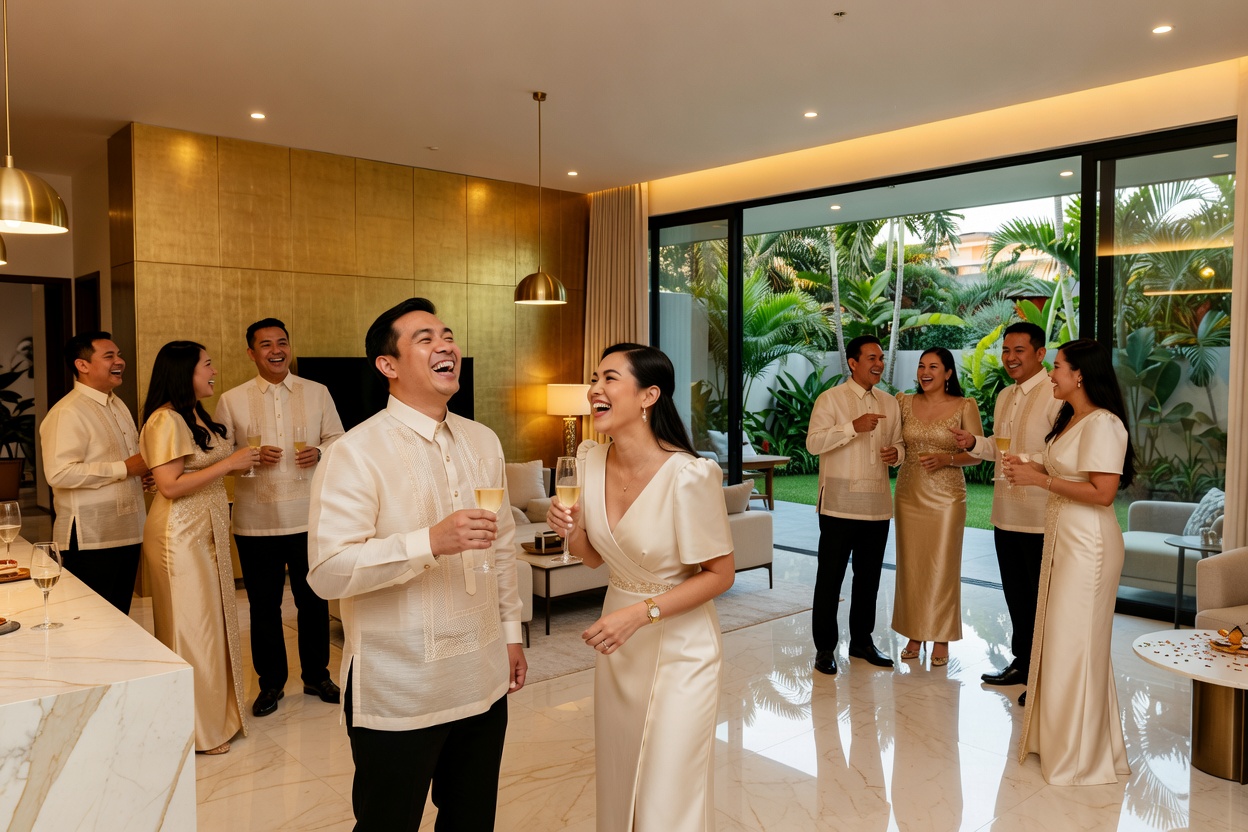
Ask any couple what they treasure most from their wedding gallery, and you will hear the same thing: the candid moments. Not the posed family portraits or the carefully staged first-look shots — those matter too — but the ones nobody planned for. The flower girl twirling in her dress. The best man laughing mid-speech. Your grandparents dancing to a song from their own wedding. These are the candid wedding photos that tell the real story of your day.
Here is the problem: even the best wedding photographer cannot be everywhere at once. They are paid to capture the key moments — the ceremony, the portraits, the first dance — and they do that well. But with 100+ guests across a venue, the photographer is in one room while the real moments are happening in three others. The people best positioned to capture those moments are your guests. They are at every table, on the dance floor, in the bathroom line where two friends are having a quiet reunion. Your guests have phones in their pockets and a front-row seat to moments no professional could reach.
The question is not whether your guests will take photos — they will. The question is whether you will ever see them. And that is where most couples fail. They get married, go on honeymoon, come back, and spend the next three weeks chasing guests for photos after the wedding — sending follow-up messages, tagging people on social media, and hoping someone remembers to upload the pictures they took.
There is a better way. In this guide, you will learn how to set up a system that captures every candid moment your photographer misses — without chasing anyone after the wedding.
The Problem With Traditional Guest Photo Approaches
Couples have tried for years to collect guest photos, and most approaches fail for the same reasons. Here is why the old methods do not work:
Disposable Cameras
You buy 10-15 disposable cameras at $15-25 each, scatter them on tables, and hope for the best. Half come back with blurry shots, accidental selfies, or the last three frames shot in the dark. They cost money, create plastic waste, and someone has to take them to a store to develop — and even then, you might get a stack of prints you never look at again. For a deeper comparison, read our guide on disposable cameras vs digital guest cameras.
Wedding Hashtags
You print a hashtag on a sign and hope guests post to Instagram. Some do. Most do not. The ones who do post heavily filtered, curated shots — not the candid wedding photos you actually want. And private accounts mean you will never see half of them. Hashtags capture the highlight reel, not the real moments.
Google Photos Shared Albums
Free, but full of friction. Every guest needs a Google account, has to find the album link, select their photos, and upload one by one. Most guests never get around to it — they mean to, but life gets in the way. You end up with 30 photos from 3 guests instead of 300 photos from 30 guests.
Chasing Guests After the Wedding
This is the most common approach, and the worst. You send a message in the group chat: "Please share your photos!" A few people respond. Fewer actually upload anything. Weeks pass. You give up. The photos that existed on 50 phones at your wedding are now gone — buried under new photos, deleted to save space, or simply forgotten. If you have ever experienced this, you know exactly how it feels.
How to Get More Candid Wedding Photos From Your Guests
The solution is simple: make it so easy to share photos that guests do it in the moment, not later. Here is the step-by-step process:
- Set up QR code photo sharing before the wedding. Create your event at picshots.app/create and get your unique QR code. This takes about five minutes. The QR code links to a shared gallery that every guest can upload to — no app install, no account creation, no friction.
- Display the QR code creatively at the venue. Print it on table cards, welcome signs, and the ceremony program. Place it at high-traffic spots: the welcome table, the bar, the restroom area. The more visible it is, the more guests will scan. For inspiration, browse our wedding QR code ideas.
- Tell guests what to capture. Do not just say "share your photos." Give them specific prompts: "Get a photo of someone laughing during the speeches." "Capture the dance floor at its peak." "Find a quiet moment between two people who have not seen each other in years." A little direction produces dramatically better candid wedding photos than an open-ended request.
- Appoint a photo champion at each table. Ask one person per table to encourage others to scan and shoot. This works better than a single MC announcement because it is personal — a friend nudging you to participate is more persuasive than a voice on a microphone.
- Use the live gallery to build momentum. If your venue has a screen, display the gallery live during the reception. When guests see their photos appear on screen, they want to take more. It turns photo sharing into a shared experience rather than a chore.
Want to see how the full system works? Read our how it works guide for a detailed walkthrough.
When Candid Wedding Photos Happen That Photographers Miss

Your photographer is scheduled for key moments. But the best candid wedding photos happen in the gaps — the moments between the scheduled shots. Here is when to encourage guests to be ready:
- Getting ready: The bride's room before the ceremony is full of candid moments — hair being fixed, nerves being managed, friends laughing. Your photographer might be there, but they are focused on the bride. Guests capture the bridesmaids, the moms, the chaos.
- Cocktail hour: While the couple is taking portraits, guests are mingling, hugging, catching up. This is peak candid time — and the photographer is usually with the couple, not the guests.
- Dinner and speeches: Reactions to speeches — the laughter, the tears, the surprised faces — are pure candid gold. Guests at each table capture expressions the photographer cannot reach from their position in the corner.
- The dance floor: Once the formal first dance is over, the real dancing starts. Guests are in the middle of it, phone cameras out, capturing the energy from inside the crowd. A photographer can only shoot the dance floor from the edge.
- Late night: The last hour of a wedding is when the best photos happen — and the photographer has usually gone home. Guests dancing with their shoes off, the remaining crowd singing at the bar, the couple's exhausted but happy final moments. These are the photos nobody plans for but everyone treasures.
- The exit: Whether it is sparklers, confetti, or a quiet walk to the car, the exit is a moment guests capture from multiple angles — far more perspectives than a single photographer can cover.
Encouraging Guests Without Being Pushy
You want guests to take photos, but you do not want to turn your wedding into a homework assignment. Here are some low-pressure ways to encourage participation:
- Use fun signage. Instead of "Please scan to upload photos," try "Your mission: capture one moment that makes us laugh." Playful prompts get better results than formal instructions.
- Ask your MC to mention it once. A 10-second announcement during the reception works: "If you're taking photos tonight, scan the QR code on your table — the couple wants to see what you see!" One mention is enough. Do not belabor it.
- Make it feel like a gift, not a task. Frame the QR code as a way for guests to contribute to your memory, not as a chore. "Help us remember this night" is more motivating than "Upload your photos here."
- Do not require an app or login. Every extra step reduces participation. If guests have to download something, create an account, or navigate a login flow, most will not bother. The wedding guest camera approach works because it removes every barrier — scan, shoot, done.
Your Candid Wedding Photo Checklist
Before the wedding day, run through this checklist to make sure you capture every candid moment:
- Create your event at picshots.app/create
- Test the QR code on your own phone — confirm it opens and lets you upload
- Print the QR code on table cards, welcome sign, and ceremony program
- Write 3-4 specific photo prompts for guests (e.g., "Capture someone laughing during the speeches")
- Appoint one photo champion per table to encourage scanning
- Brief your MC to mention the QR code once during the reception
- Check that your venue has adequate cellular or Wi-Fi signal for uploads
- Consider a live gallery display if the venue has a screen
- Set per-guest shot limits if you want quality over quantity (10-15 photos per guest works well)
- After the wedding, download the full gallery and back it up
For more on what to do with the photos after the wedding, read our guide on what to do with wedding guest photos after the wedding.
Why Guest Photo Sharing Beats the Alternatives
You might be wondering: why not just use disposable cameras or a shared Google album? Here is why guest photo sharing through a QR code gallery is the better approach for capturing candid wedding photos:
- vs disposable cameras: No cost per camera, no waste, no development delay, no blurry surprises. Guests use a device they already know — their own phone — so photo quality is higher.
- vs photo booths: Photo booths capture posed group shots in one corner. Guest photo sharing captures the entire venue, all night, from every angle. Cost comparison: a photo booth rental is $300-800. A QR code gallery is free for up to 10 guests.
- vs Google Photos shared albums: No app to download, no Google account required, no manual upload process. Guests scan, shoot, and the photo is in the gallery instantly. Participation rates are significantly higher.
- vs social media hashtags: You get every photo, not just the ones guests chose to post publicly. No filters, no curation, no missing photos from private accounts. The gallery is yours, not algorithm-curated.
You can also read our broader guide on how to collect photos from wedding guests for more strategies.
Frequently Asked Questions About Candid Wedding Photos
Will guest photos be as good quality as professional photos?
No — and that is the point. Professional photos are polished, posed, and beautifully lit. Candid wedding photos from guests are raw, real, and capture moments the photographer could not reach. They complement your professional gallery, not replace it. The best wedding albums combine both.
How do I make sure guests actually upload their photos?
Make it frictionless. Use a QR code that opens a browser gallery — no app install, no account creation. Display the QR code prominently, have your MC mention it once, and appoint a photo champion at each table to gently encourage participation. The easier it is, the more photos you will collect.
What if I want to review photos before they appear in the gallery?
Picshots offers photo approval mode. Guests still upload instantly, but you decide which photos appear in the shared gallery. You can also delete individual photos at any time. If you prefer a more relaxed approach, leave approval off and curate the gallery after the event.
How many candid photos should I expect from 100 guests?
With a QR code gallery and visible signage, expect 30-70% of guests to participate. That means 150-500+ photos from a 100-guest wedding, depending on how actively you encourage sharing. An MC announcement and table champions can push participation to the higher end.
Is it really free?
Picshots is free for events with up to 10 guests. For larger weddings, there is a one-time payment per event — no subscription. See the pricing page for details.
Capture Every Moment Your Photographer Cannot
Your wedding photographer will deliver a beautiful gallery — but it will not include the moment your college roommate tripped on the dance floor, or the quiet conversation between your parents during dinner, or the flower girl's impromptu solo on the empty dance floor at midnight. Those candid wedding photos only exist if your guests capture them and you actually receive them.
Do not spend three weeks after your wedding chasing guests for photos. Set up a QR code gallery before the wedding, display it prominently, give guests a few fun prompts, and let the candid moments roll in — live, all night, in one shared gallery.
Create your wedding event and get your QR code in five minutes. The candid photos your photographer misses are the ones you will treasure most.
Quick answers
Will guest photos be as good quality as professional photos?
No — and that is the point. Professional photos are polished, posed, and beautifully lit. Candid wedding photos from guests are raw, real, and capture moments the photographer could not reach. They complement your professional gallery, not replace it. The best wedding albums combine both.
How do I make sure guests actually upload their photos?
Make it frictionless. Use a QR code that opens a browser gallery — no app install, no account creation. Display the QR code prominently, have your MC mention it once, and appoint a photo champion at each table to gently encourage participation. The easier it is, the more photos you will collect.
What if I want to review photos before they appear in the gallery?
Picshots offers photo approval mode. Guests still upload instantly, but you decide which photos appear in the shared gallery. You can also delete individual photos at any time. If you prefer a more relaxed approach, leave approval off and curate the gallery after the event.
How many candid photos should I expect from 100 guests?
With a QR code gallery and visible signage, expect 30-70% of guests to participate. That means 150-500+ photos from a 100-guest wedding, depending on how actively you encourage sharing. An MC announcement and table champions can push participation to the higher end.
Is it really free?
Picshots is free for events with up to 10 guests. For larger weddings, there is a one-time payment per event — no subscription. See the pricing page for details.