
Event Planning
Guest Photo Sharing: The Modern Event Host's Complete Handbook
A comprehensive guide to guest photo sharing across weddings, birthdays, corporate events, and baby showers — with best practices, etiquette tips, and an objective comparison of five leading platforms to help hosts choose the right tool for their event.
Introduction: Why Guest Photo Sharing Matters More Than Ever
Every event host knows the feeling. You spend months planning every detail — only to wake up the next morning with a phone full of selfies and zero photos of your guests enjoying the celebration. Guest photo sharing solves this by turning every attendee's smartphone into a collaborative photo booth. Instead of chasing people for pictures after the fact, you create a shared space where everyone's photos land in one place — automatically, in real time.

The numbers are striking. The average wedding guest takes 178 photos. A 50-person birthday party generates over 1,000 images. Without a guest photo sharing system, 90% of those photos never reach the host. They sit scattered across camera rolls, buried in group chats, or lost to social media algorithms.
This guide covers guest photo sharing across four major event types — weddings, birthdays, corporate events, and baby showers. You'll learn what works, what to avoid, the best tools for each scenario, and how to choose the right approach for your next event.
Guest Photo Sharing for Weddings
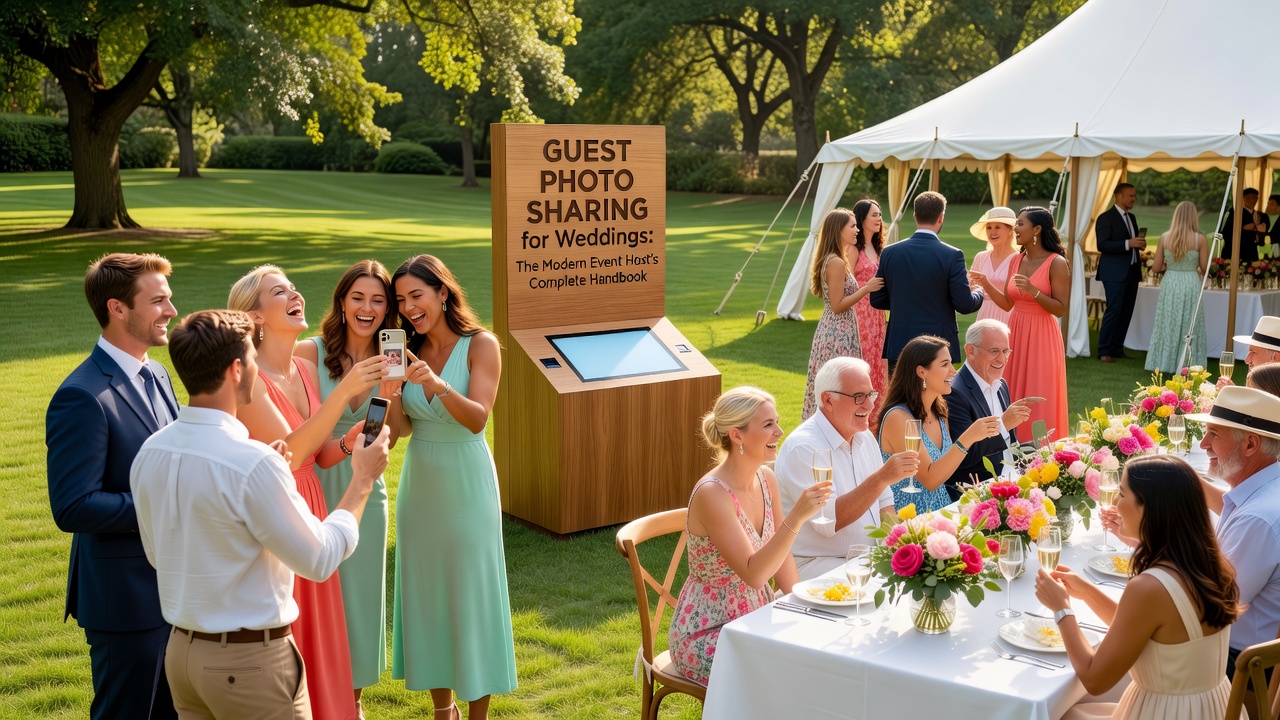
Weddings are the original use case for guest photo sharing. Your photographer captures the staged moments — the first kiss, the cake cutting, the formal portraits. But guests capture everything the photographer misses: the flower girl practicing her walk, the groomsmen's pre-ceremony jokes, the spontaneous dance-off at 11 PM. Together, these perspectives tell the complete story of your day.
Best Practices
- Set up before the ceremony. Create your album at least a week ahead. Test the QR code on multiple devices. Print it on welcome signage, ceremony programs, and reception table cards.
- Announce it during the reception. Have your MC or DJ mention the QR code 2-3 times — during welcome, before dinner, and when the dance floor opens.
- Use a wedding-specific platform. Tools like WedSocial and Guest乐 offer guest books, slideshows, and privacy controls that generic cloud albums lack.
- Enable moderation. Review photos before they appear publicly to prevent blurry shots and duplicates from flooding the gallery.
What to Avoid
- Don't rely on a wedding hashtag alone. Instagram hashtags are public, unorganized, and miss guests who don't post. A dedicated guest photo sharing tool captures everything privately.
- Don't wait until the reception. Guests start photographing at the ceremony. If your QR code isn't visible until dinner, you've lost hours of candid moments.
- Don't make guests download an app. Browser-based platforms work best. Every extra step (app store, sign-up) loses 30-40% of potential contributors.
Timing & Etiquette
Place QR codes at the ceremony entrance, on reception tables, and near the bar or photo booth. Send a follow-up email 48 hours after the wedding — guests will have sorted through their photos by then.
Guest Photo Sharing for Birthdays
Birthday parties are looser, shorter, and more candid. A milestone birthday (30th, 40th, 50th) can rival a wedding in photo volume, but the vibe is different — fewer formal moments, more spontaneous group shots. Guest photo sharing for birthdays needs to be simpler and faster than wedding-grade tools.
Best Practices
- Keep it dead simple. A QR code on a single poster near the entrance or bar is enough. "Share Your Photos Here!" with a QR code works.
- Use live slideshow mode. Project the growing gallery on a TV or wall — it becomes entertainment as guests see their photos appear in real time.
- Create a themed album name. "Sarah's Dirty Thirty" or "Mike's 40th Bash" — something fun guests remember.
- Share within 24 hours. Birthday energy fades fast. Send the link while everyone's still buzzing.
What to Avoid
- Don't overcomplicate it. Skip platforms with guest books, RSVP tools, and seating charts — they add friction without value.
- Don't require sign-ups. Birthday guests are casual. If they have to create an account, they won't bother.
- Don't forget older guests. Print the QR code large. Have a tablet at a "photo station" where someone can help them upload.
Timing & Etiquette
Set up 30 minutes before guests arrive. For surprise parties, have a trusted friend handle it. Send the gallery within 24 hours while memories are fresh.
Guest Photo Sharing for Corporate Events
Corporate events — conferences, team offsites, holiday parties, product launches — have the highest photo volume of any event type. Without guest photo sharing, your marketing team gets a handful of staged shots and misses the authentic energy that makes event recaps compelling. Shared galleries also boost engagement: when attendees see their photos on a live feed, they take more and share with colleagues who couldn't attend.
Best Practices
- Brand the experience. Use a platform with custom branding — your logo, colors, and a branded gallery URL.
- Create session-specific albums. For multi-track conferences, separate albums keep photos organized.
- Integrate with your event app. Embed the photo sharing link directly. Don't make attendees juggle multiple tools.
- Use photos for real-time social media. Assign someone to repost the best guest photos (with permission). Authentic attendee content outperforms polished brand content 3:1.
- Set up a photo wall. Project the live gallery on a large screen — it becomes a natural gathering point.
What to Avoid
- Don't use consumer-grade tools for large events. Free tools cap at 500-1,000 photos. A 500-person conference generates 5,000+ photos in a day.
- Don't skip privacy review. Corporate events may have sensitive content — whiteboard sessions, prototypes, strategy discussions. Enable moderation.
- Don't forget GDPR compliance. If collecting photos in the EU, ensure your platform is GDPR-compliant. Photos are personal data.
Timing & Etiquette
Announce during the opening keynote. Place QR codes on lanyards, at registration desks, in breakout rooms, and near sponsored booths. Send the gallery within 48 hours with a thank-you note.
Guest Photo Sharing for Baby Showers
Baby showers are intimate, emotional, and multi-generational. Grandparents, aunts, childhood friends — people who rarely gather in one room. Guest photo sharing captures these rare moments: the grandmother-to-be tearing up during gift opening, the awkward diaper-changing race, three generations of women in one frame. These photos become keepsakes a child will treasure years later.
Best Practices
- Keep it private. Use strong privacy controls — password-protected galleries, invite-only access, no public searchability.
- Designate a "photo captain." Ask a close friend or sibling to gently remind people to upload. The parents-to-be shouldn't manage this.
- Capture the details. Encourage guests to photograph decorations, the cake, the gift table, the games — details the hosts were too busy to notice.
- Use a message feature. Platforms that let guests attach notes ("Can't wait to meet you, little one!") create treasured keepsakes.
What to Avoid
- Don't make it public. Baby shower photos should stay within the invited circle. Avoid platforms that default to public galleries.
- Don't pressure guests. Older relatives may not be comfortable with apps. Offer a Polaroid camera and physical guest book as an alternative.
- Don't forget to download. Free platforms may delete galleries after 30-90 days. Back up the full-resolution collection.
Timing & Etiquette
Set up a few days before. Place a small, elegant QR code near the gift table and food area — subtle, not dominating the decor. Share the gallery 2-3 days after, once the parents-to-be have rested.
Guest Photo Sharing Tools Compared
Choosing the right guest photo sharing platform depends on your event type, guest count, budget, and privacy needs. Here's how five leading tools stack up:
| Feature | Guest乐 (GuestLe) | WedSocial | Tagfie | Kwik | Google Photos |
|---|---|---|---|---|---|
| Ease of Use | ⭐⭐⭐⭐⭐ Browser-based, QR in 2 min | ⭐⭐⭐⭐ App-first, browser works | ⭐⭐⭐⭐ Simple QR upload | ⭐⭐⭐⭐⭐ No account needed | ⭐⭐⭐ Requires Google account |
| Cost | Free (500 photos) / Pro $9.99/event | Free (200) / Premium $14.99/event | Free (300) / Pro $7.99/event | Free (unlimited, ads) / Pro $5.99 | Free (15 GB shared) |
| QR Code | ✅ Auto, customizable | ✅ Auto, wedding themes | ✅ Auto, basic | ✅ Auto, simple | ❌ Must generate separately |
| Album Limit | Free: 500 / Pro: Unlimited | Free: 200 / Premium: 5,000 | Free: 300 / Pro: 10,000 | Free: Unlimited / Pro: Unlimited | Limited by Google quota |
| Privacy | Password, hidden, moderation, invite-only | Password, approval, hidden, private link | Password, moderation, private link | Password, private link | Invite-only, restricted link |
| Slideshow | ✅ With music | ✅ Wedding-themed | ✅ Basic | ❌ | ❌ |
| Guest Messages | ✅ Captions + guest book | ✅ Notes + guest book | ✅ Captions | ❌ | ✅ Comments |
| Best For | Weddings, large events | Weddings, bridal showers | All events, budget hosts | Casual, birthdays | Small, personal use |
| Pros | Best features; great privacy; beautiful UI | Wedding-specific; elegant; good support | Affordable; simple; generous limits | Unlimited free; dead simple; fast | Free; familiar; Google ecosystem |
| Cons | 500 free limit tight; annual plan pricier | Wedding-only; 200 free limit; higher cost | Fewer advanced features; smaller base | Ads on free; no slideshow/messaging | No QR; needs Google account; no event features |
How to Choose the Right Tool
- Weddings: Guest乐 or WedSocial. Guest乐 wins on free limits; WedSocial wins on wedding polish.
- Birthdays & casual: Kwik or Tagfie. Kwik's unlimited free tier is unbeatable for casual use.
- Corporate: Guest乐 Pro or enterprise solution. You need unlimited uploads, branding, and compliance.
- Baby showers: Tagfie or Guest乐. Privacy is paramount — both offer password protection and invite-only galleries.
- Budget Google users: Google Photos works for tiny, informal events but lacks QR codes and event features.
Universal Best Practices for Guest Photo Sharing
Regardless of event type, these principles apply across the board:
Before the Event
- Test everything. Scan the QR code from 3 different phones and upload a test photo. Fix issues before guests arrive.
- Print multiple QR codes. Place them at the entrance, bar, dance floor, dining tables, and restroom.
- Enable moderation. Review photos before they appear publicly to prevent inappropriate content and duplicates.
- Check the WiFi. Spotty cellular means no uploads. Verify venue WiFi or bring a mobile hotspot for outdoor events.
During the Event
- Announce early and often. Mention photo sharing in your welcome speech. Have the DJ or MC give reminders.
- Lead by example. Upload a few photos yourself early. When guests see photos already in the gallery, they contribute more.
- Make it visible. Project the live gallery on a screen — it's the best advertisement for participation.
After the Event
- Send the gallery within 48 hours. The excitement window is short. Share while guests are still talking about the event.
- Say thank you. "Thank you for being part of our day — and for sharing your photos! Here's the full gallery."
- Download and back up. Store the full-resolution collection in at least two places (cloud + local drive).
- Share selectively. Get permission before posting guest photos publicly. A private gallery is not a social media feed.
Common Guest Photo Sharing Mistakes
#1: The Hashtag Fallacy
Wedding hashtags were trendy in 2015. Today, Instagram's algorithm doesn't show all tagged photos, and private accounts won't appear. A dedicated guest photo sharing platform gives you a private, organized, complete collection.
#2: Setting Up Too Late
If your QR code goes up at 8 PM, you've missed the ceremony, cocktail hour, and dinner. Set up before the first guest arrives.
#3: Wrong Tool for the Event
A wedding platform is overkill for a birthday. A 200-photo cap is useless for a 300-person conference. Match the tool to the event scale.
#4: Forgetting Non-Tech-Savvy Guests
Grandparents won't scan QR codes. Have a backup: a tablet helper or a Polaroid photo station.
#5: No Follow-Up
You collected hundreds of photos and never shared the gallery. Send the link — your guests want to see the photos too.
Conclusion: Make Every Guest Your Photographer
Guest photo sharing transforms your event from single-perspective documentation into a rich, multi-angle story told by the people who were there. Whether you're planning a wedding, a milestone birthday, a corporate conference, or an intimate baby shower, the right tool and approach capture moments no single photographer ever could.
Key takeaways:
- Match the tool to your event. Don't overpay for wedding features at a birthday, and don't under-provision for a corporate event.
- Set up early, test thoroughly, announce often. The best platform is useless if guests don't know about it.
- Prioritize privacy and moderation. Not every photo belongs in a public gallery.
- Follow up. Share the gallery, say thank you, and back up your photos.
Your guests are already taking photos. Give them a place to share them — and you'll see your event through dozens of eyes instead of just one.
Looking for more event planning resources? Check out our guides on wedding planning timelines, corporate event planning checklists, and creative birthday party ideas.
Quick answers
What is guest photo sharing?
Guest photo sharing is a system that lets event attendees upload their photos to a shared, private album — usually via a QR code or link — so the host can collect everyone's photos in one place without chasing people after the event.
Do guests need to download an app for guest photo sharing?
Most modern guest photo sharing platforms are browser-based, meaning guests can scan a QR code and upload photos directly without downloading an app. Platforms that require app downloads typically see 30-40% lower participation rates.
How much does a guest photo sharing platform cost?
Most platforms offer free tiers with limited photo counts (200-500 photos). Paid plans range from $5.99 to $14.99 per event, with annual plans available from $39.99 to $79.99. Kwik offers an unlimited free tier supported by ads.
Can I use Google Photos for guest photo sharing?
Yes, Google Photos shared albums can work for very small, informal events. However, it lacks built-in QR codes, requires guests to have Google accounts, and doesn't offer event-specific features like live slideshows, moderation, or guest books.
How do I get guests to actually use the photo sharing QR code?
Place QR codes in multiple visible locations (entrance, tables, bar, restroom), announce it 2-3 times during the event via MC or DJ, lead by example by uploading a few photos early, and project a live slideshow of the gallery if your platform supports it.