
Event Technology
Guest Camera App: The Complete Comparison of Browser vs App-Based Solutions
A comprehensive pillar-page comparison of browser-based and app-based guest camera solutions, covering participation rates, setup time, guest friction, and which approach wins for every event type.
Why Your Guest Camera App Choice Matters
Every event planner faces the same question: how do you collect photos from guests who already have phones in their pockets? The guest camera app market has split into two distinct camps — browser-based solutions that need no download, and native apps that install on each device. Your choice directly affects how many guests participate, how long setup takes, and how much friction you introduce on event day.
This guide breaks down both approaches across four critical dimensions so you can confidently pick the right guest camera app for weddings, corporate events, birthdays, and social gatherings.

Browser-Based Guest Camera Solutions
Browser-based platforms let guests point their phone camera or scan a QR code to open a web page. No app store visit, no download, no storage permission prompts. The guest simply snaps or uploads photos through a mobile web interface, and images flow into a shared gallery.
Key characteristics:
- Zero install — works instantly via URL or QR code
- Universal compatibility — any smartphone with a browser
- No storage footprint on guest devices
- Lower development cost for platform builders
App-Based Guest Camera Solutions
App-based solutions require guests to download a native app from the App Store or Google Play. The guest camera app handles photo capture, editing, and upload through purpose-built interfaces that can access deeper device features like offline storage, push notifications, and advanced camera controls.
Key characteristics:
- Richer features — filters, frames, AR effects, offline mode
- Better camera control — direct hardware access for higher quality
- Installation barrier — requires download before participation
- Higher engagement post-event — app remains on device for ongoing interaction
Head-to-Head: The Four Critical Dimensions
1. Participation Rates
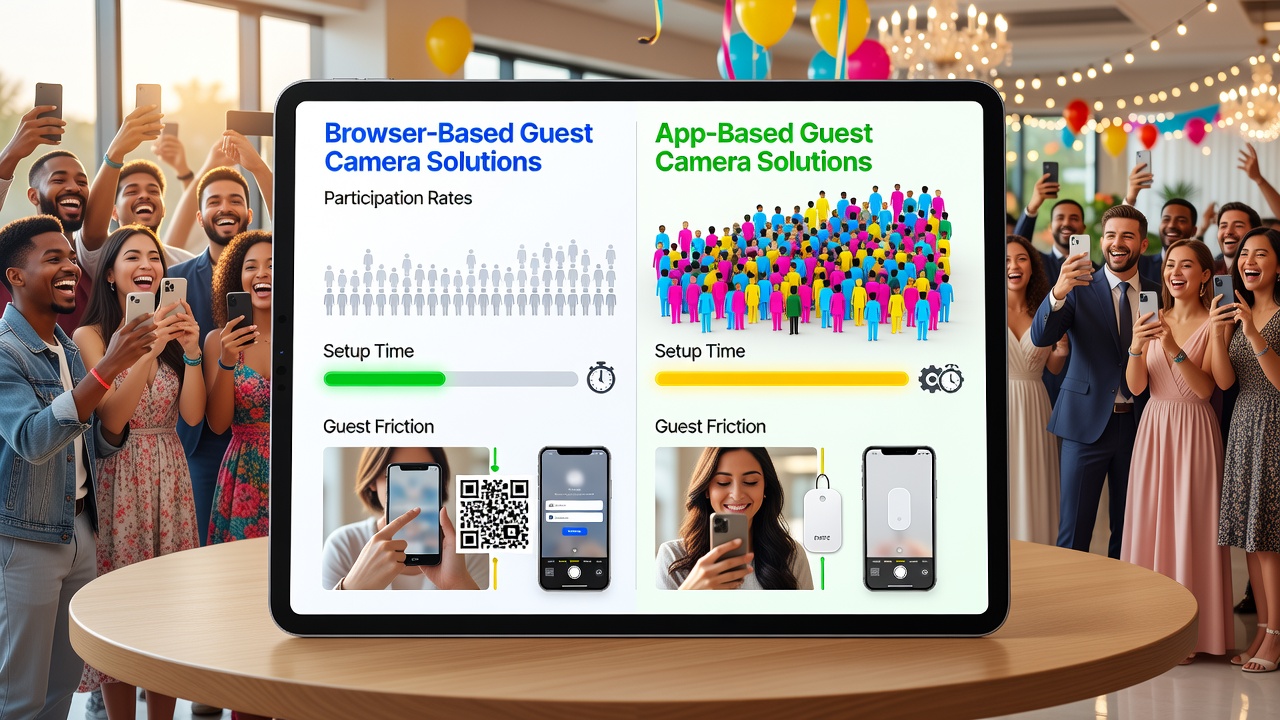
Participation is the single most important metric for any guest camera app. Here's how the two approaches compare:
- Browser-based: Studies and event-industry surveys consistently show browser solutions achieve 60–80% participation at typical events. The absence of a download removes the biggest barrier to entry.
- App-based: Native apps typically see 20–40% participation. The download requirement creates an immediate drop-off, especially among older guests or those with limited storage.
The gap is most pronounced at events with tech-diverse audiences — family gatherings, community events, and multi-generational celebrations.
2. Setup Time
- Browser-based: Setup is measured in seconds. Guest scans a QR code, the page loads, and they're capturing. Event organizers spend minimal time on instructions.
- App-based: Setup takes 3–10 minutes per guest — searching the app store, downloading, installing, granting permissions, and creating an account. For an event with 150 guests, that's hours of collective time spent on logistics.
3. Guest Friction
Friction is the cumulative resistance a guest experiences from invitation to captured photo. Lower friction means more photos and happier guests.
- Browser-based: Minimal friction — scan, snap, done. No account creation, no storage permissions, no learning curve. Guests who can use a web browser can participate.
- App-based: Higher friction — app store navigation, download wait times, permission dialogs, potential account signup, and unfamiliar UI. Each step is a point where guests abandon the process.
4. Photo Quality and Features
- Browser-based: Standard browser camera APIs deliver good quality for most use cases. Limited editing features but sufficient for event photo collection.
- App-based: Native camera access enables higher-resolution capture, custom filters, branded frames, AR overlays, and offline shooting — valuable for branded or premium events.
Comparison Summary
| Dimension | Browser-Based | App-Based |
|---|---|---|
| Participation Rate | 60–80% | 20–40% |
| Setup Time | Seconds | 3–10 min per guest |
| Guest Friction | Low | Medium–High |
| Photo Features | Standard | Advanced (filters, AR, offline) |
| Cost to Organize | Low | Medium–High |
| Best For | High participation, diverse audiences | Branded, premium, repeat-use events |
Which Guest Camera App Wins for Each Event Type
Weddings
Winner: Browser-based. Weddings bring together guests spanning 8 decades of tech literacy. Aunt Mildred isn't downloading an app, but she can scan a QR code at the reception. Participation rates matter more than filter effects — you want every guest contributing. A browser-based guest camera app captures the widest net of candid moments.
Corporate Events
Winner: App-based (for internal/branded events) or Browser-based (for open events). If you're running a company-wide retreat or product launch where branding, custom frames, and data ownership matter, a native app delivers a polished experience. For trade shows or client-facing events where attendees aren't part of your organization, go browser-based to maximize participation.
Birthdays
Winner: Browser-based. Birthday parties are casual, spontaneous, and guest lists shift. Nobody wants to download an app for a two-hour party. Browser solutions let friends and family start snapping immediately — the lower the friction, the more memories you collect.
Social Gatherings and Community Events
Winner: Browser-based. Community events, fundraisers, and social mixers thrive on inclusivity. Browser-based guest camera apps welcome everyone regardless of phone type, storage space, or tech comfort. The goal is breadth, and browser wins on breadth every time.
Festivals and Multi-Day Events
Winner: App-based. Multi-day events like music festivals benefit from native apps. Offline photo capture, push notification reminders, and branded AR filters justify the install when guests are engaged for days rather than hours. The longer event duration amortizes the setup cost.
The Verdict
For the majority of event planners, browser-based guest camera apps are the practical choice. They win on participation, setup speed, and guest friction — the three factors that determine whether your event album is full or empty. App-based solutions have their place at premium branded events and multi-day gatherings where features and branding justify the install barrier.
The best guest camera app is the one your guests will actually use. And most of the time, that's the one that doesn't ask them to download anything.
Frequently Asked Questions
Do browser-based guest camera apps work without internet?
Most browser-based solutions require an active internet connection to upload photos. Some offer progressive web app features that cache the interface, but live upload still needs connectivity. If you're planning a remote event, check whether your venue has reliable Wi-Fi or cellular coverage.
Can guests use a guest camera app without a smartphone?
Browser-based solutions work on any device with a camera and browser — including tablets and some laptops. App-based solutions require a compatible smartphone from a supported app store.
Which guest camera app approach is more cost-effective?
Browser-based platforms typically charge a flat fee or subscription with lower per-event costs. App-based solutions often involve higher licensing or development costs, especially for custom branding and features.
Is photo quality lower with browser-based solutions?
Modern browser camera APIs support high-resolution capture. While native apps can access more advanced camera controls and processing, the quality difference is negligible for most event photography needs. Both approaches deliver shareable, print-quality images.
Quick answers
Do browser-based guest camera apps work without internet?
Most browser-based solutions require an active internet connection to upload photos. Some offer progressive web app features that cache the interface, but live upload still needs connectivity.
Can guests use a guest camera app without a smartphone?
Browser-based solutions work on any device with a camera and browser, including tablets and laptops. App-based solutions require a compatible smartphone from a supported app store.
Which guest camera app approach is more cost-effective?
Browser-based platforms typically charge a flat fee or subscription with lower per-event costs. App-based solutions often involve higher licensing or development costs, especially for custom branding.
Is photo quality lower with browser-based solutions?
Modern browser camera APIs support high-resolution capture. While native apps offer more advanced controls, the quality difference is negligible for most event photography needs.