
Wedding Planning
Free vs Paid Guest Photo Sharing: A Decision Guide
Learn how to choose between free and paid guest photo sharing solutions with a practical decision framework. Compare tools, evaluate criteria, and find the best fit for weddings and events.

Free vs Paid Guest Photo Sharing: A Decision Guide
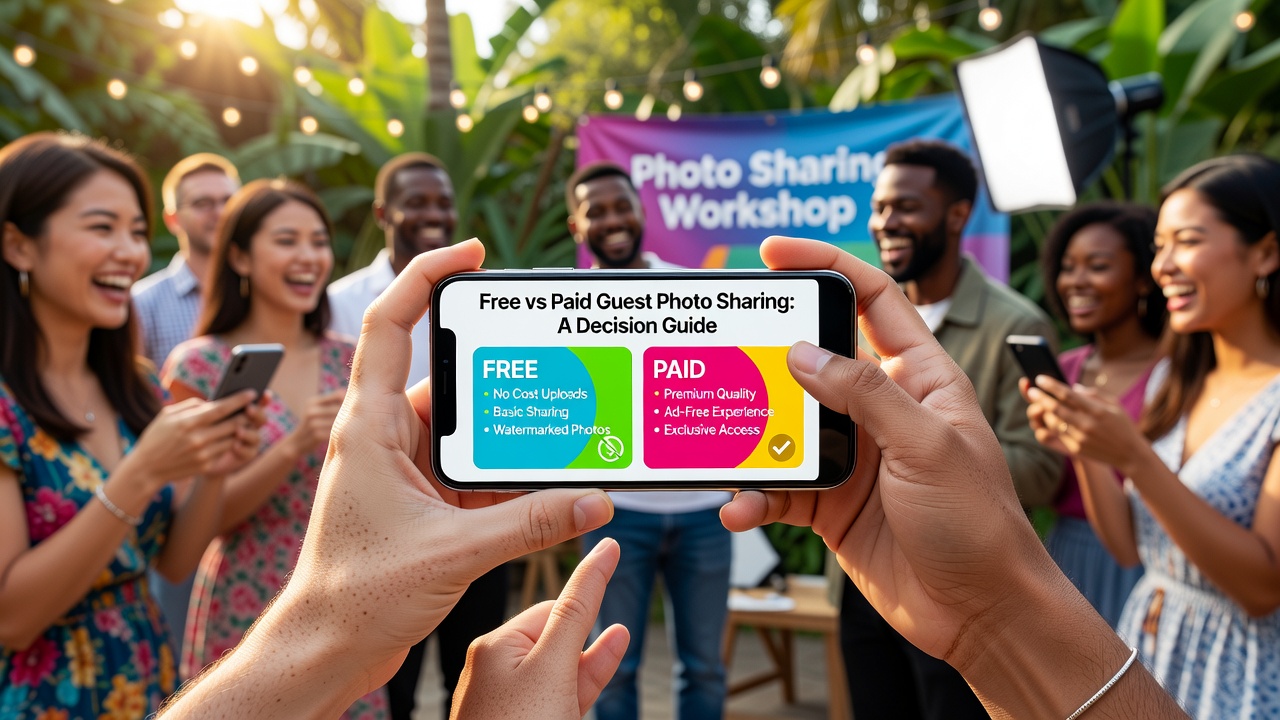
Quick Answer: Free guest photo sharing works best for small, tech-savvy groups who value speed over organization. Paid solutions suit larger events, privacy-conscious hosts, and anyone wanting automated albums, real-time galleries, and professional-grade results without manual effort.
Introduction
You've planned the perfect event. Now you need every guest's photos in one place. The question is: should you rely on free tools like AirDrop and Google Photos, or invest in a dedicated guest photo sharing app?
This decision matters more than you think. The wrong choice can mean missing photos, privacy headaches, or spending your reception troubleshooting tech issues instead of celebrating. The right choice keeps guests engaged, captures every moment, and delivers a polished gallery you'll treasure for years.
We've built this framework to help couples planning weddings and event hosts evaluate their options objectively. No sales pitch — just clear criteria, honest comparisons, and actionable guidance.

What Is Guest Photo Sharing?
Guest photo sharing is the practice of collecting photos taken by attendees at weddings, parties, corporate events, and celebrations into a single, accessible collection. Instead of relying solely on a professional photographer, hosts tap into the dozens (or hundreds) of smartphones capturing candid moments throughout the event.
The challenge? Getting those photos from guests' phones to yours without friction, privacy risks, or endless follow-up texts. That's where guest photo sharing tools come in — ranging from built-in phone features to specialized apps designed specifically for events.
Free Guest Photo Sharing Tools
Free solutions leverage tools your guests already have. They cost nothing upfront but require more manual coordination and come with real limitations.
AirDrop (iOS)
Best for: Small groups where everyone uses iPhones.
AirDrop lets iOS users send photos directly to the host or a designated device in seconds. No accounts, no apps, no internet required.
Pros:
- Instant transfers with no setup
- No internet or cellular data needed
- Full-resolution photos preserved
Cons:
- iOS-only — Android guests are excluded
- Requires physical proximity
- No centralized album or organization
- Guests must manually select and send each photo
Google Photos Shared Albums
Best for: Mixed-device groups comfortable with Google accounts.
Create a shared album, send the link, and guests add photos at their convenience. Works across iOS and Android.
Pros:
- Cross-platform compatibility
- Automatic backup and cloud storage
- Guests can contribute over several days
Cons:
- Requires Google account for full features
- Album links can be shared beyond intended guests
- No real-time slideshow or event branding
- Manual organization — duplicates and blurry shots pile up
Dropbox File Requests
Best for: Tech-savvy hosts who want file-level control.
Dropbox lets you create a folder and generate a request link. Guests upload photos directly without seeing other submissions.
Pros:
- Private uploads — guests don't see each other's photos
- Large file support and generous storage
- No account required for uploaders
Cons:
- Steeper learning curve for guests
- No mobile-optimized experience
- No automatic organization or gallery view
- Free tier has storage limits
WhatsApp or Text Message Groups
Best for: Informal events with close friends.
Guests dump photos into a group chat. Simple, familiar, and immediate.
Pros:
- Zero friction — everyone already uses messaging apps
- Instant delivery
Cons:
- Photos compressed and degraded in quality
- Scrolling through hundreds of images is painful
- No search, filtering, or organization
- Private chats become chaotic
Paid Guest Photo Sharing Solutions
Dedicated guest photo sharing apps are built specifically for weddings and events. They automate collection, organize automatically, and add features free tools can't match.
What Paid Solutions Typically Offer
Instant photo galleries: Guests upload photos via QR code or app, and images appear on a live slideshow or digital gallery in real time.
Automatic organization: AI tagging, duplicate detection, and sorting by time or contributor.
Privacy controls: Password protection, invitation-only access, and moderation tools to approve photos before they go live.
Guest engagement features: Digital guestbooks, polls, and social sharing integrations.
Professional-quality results: No compression, custom branding, and downloadable albums in print-ready resolution.
When Paid Solutions Shine
- Events with 50+ guests: Manual collection becomes impractical at scale.
- Weddings: You want every moment, from every angle, without chasing people afterward.
- Corporate events: Branding, moderation, and professional presentation matter.
- Privacy-sensitive occasions: You control who sees what, with no risk of public album links spreading.
The Decision Framework: 6 Evaluation Criteria
Use these criteria to score your specific situation. Rate each from 1 (not important) to 5 (critical), then compare your totals.
1. Ease of Setup
Free tools: Generally simple but fragmented. You might need multiple methods to accommodate all guests.
Paid tools: One QR code or link handles everything. Setup takes 5–10 minutes, and guests need no technical knowledge.
Score higher if you have limited time or tech confidence.
2. Storage Capacity
Free tools: Google Photos offers 15GB free (shared across Google services). Dropbox starts at 2GB. AirDrop has no storage limit but no cloud backup.
Paid tools: Typically unlimited or event-specific storage with no compression.
Score higher if you expect 500+ photos or want full-resolution backups.
3. Privacy and Security
Free tools: Shared album links can be forwarded. Google Photos albums default to collaborative visibility. Dropbox file requests are more private but lack event features.
Paid tools: Built-in privacy controls, guest list validation, and moderation workflows.
Score higher if your event includes sensitive moments or VIP attendees.
4. Sharing Speed and Real-Time Features
Free tools: Photos arrive when guests remember to send them — often days later, if at all.
Paid tools: Real-time uploads create instant galleries and live slideshows during the event.
Score higher if you want same-day sharing or reception slideshows.
5. Organization and Curation
Free tools: Manual sorting. You'll spend hours sifting through duplicates, blurry shots, and irrelevant screenshots.
Paid tools: Automatic organization, duplicate detection, and AI-powered highlight reels.
Score higher if you value your time and want a polished final album.
6. Cost
Free tools: $0 upfront, but your time has value. Hours of manual organization add real cost.
Paid tools: Typically $50–$300 per event, depending on features and guest count. Some offer annual plans for frequent hosts.
Score higher if budget is your absolute top priority.
Decision Matrix: Which Is Right for You?
| Scenario | Free Tools | Paid Tools |
|---|---|---|
| Small party (under 20 guests) | ✓ Ideal | Overkill |
| Wedding (50–200 guests) | Possible but stressful | ✓ Recommended |
| Corporate event with branding needs | Insufficient | ✓ Required |
| Tech-savvy group, low budget | ✓ Works fine | Optional |
| Privacy-critical event | Risky | ✓ Safer |
| Want live slideshow/reception screen | Not possible | ✓ Built-in |
| Need photos within 24 hours | Unreliable | ✓ Guaranteed |
How to Decide Based on Your Specific Situation
Step 1: Count Your Guests
Under 20? Free tools work. Over 50? Paid solutions save significant time and reduce photo loss. Over 150? Paid becomes almost essential unless you enjoy herding cats.
Step 2: Define Your Must-Haves
Make a list. If it includes real-time gallery, privacy controls, or live slideshow, free tools won't deliver. If you just need "all the photos in one place eventually," free might suffice.
Step 3: Assess Your Time Budget
Free tools demand hours of follow-up and organization. Paid tools deliver ready-to-share albums automatically. What's your time worth?
Step 4: Test Before the Event
Whatever you choose, test with 2–3 friends first. A trial run reveals friction points you won't anticipate.
Step 5: Have a Backup Plan
Even with paid tools, designate a tech-savvy friend as your photo coordinator. Technology fails. People forget. Redundancy saves memories.
Common Mistakes to Avoid
Assuming guests will figure it out: They won't. Send clear instructions, post QR codes, and remind people during the event.
Relying on a single free method: iPhone users can't AirDrop to Android. Google Photos confuses guests without Google accounts. Plan for mixed devices.
Waiting until after the event to collect photos: Enthusiasm fades. Photo quality degrades as phones optimize storage. Collect during the event, not two weeks later.
Ignoring privacy: Public album links can spread. Photos of minors, alcohol consumption, or personal moments need controlled access.
Key Takeaways
- Free guest photo sharing tools (AirDrop, Google Photos, Dropbox) work for small, informal gatherings with tech-savvy guests.
- Paid guest photo sharing apps are worth the investment for weddings, corporate events, and any occasion with 50+ guests or privacy requirements.
- Evaluate your decision on six criteria: ease of setup, storage, privacy, sharing speed, organization, and cost.
- Your time has real value — free tools often cost more in post-event manual work than their paid counterparts charge upfront.
- Always test your chosen solution before the event and designate a photo coordinator as backup.
Frequently Asked Questions
What is the best free guest photo sharing option?
Google Photos shared albums offer the best balance for free cross-platform sharing. AirDrop works best for iPhone-only groups. For mixed-device events, avoid relying on a single free tool.
Is a paid guest photo sharing app worth it for a small wedding?
For weddings under 30 guests, free tools may suffice if guests are tech-comfortable. For 50+ guests, paid solutions typically save hours of manual organization and reduce photo loss significantly.
Can guests use AirDrop and Google Photos together?
Yes, but managing multiple collection methods creates fragmentation. Photos arrive in different places with different quality levels, requiring manual consolidation afterward.
How much do paid guest photo sharing apps cost?
Most dedicated apps charge $50–$300 per event depending on guest count and features. Some offer annual subscriptions for frequent hosts or venues hosting multiple events.
Are guest photo sharing apps private and secure?
Paid solutions typically offer password protection, guest list validation, and photo moderation. Free tools like Google Photos rely on link security, which can be forwarded beyond intended recipients.
Can I create a live slideshow with free tools?
Not easily. Free tools lack real-time aggregation features. Paid guest photo sharing apps are designed for live slideshows, displaying uploaded photos on screens during your event.
What happens to photos after the event ends?
Free tools store photos indefinitely in your cloud account unless deleted. Paid apps typically offer 30–90 day galleries with download options. Verify export features before choosing a platform.
Do guests need to download an app to share photos?
Most paid solutions offer web-based uploads via QR code, so guests don't need to install anything. Some advanced features require an app, but core photo sharing works through browsers.
How do I get guests to actually share their photos?
Make it effortless: post visible QR codes, announce the photo sharing method during speeches, and send reminder texts during the event. The easier you make it, the higher participation you'll see.
Can I use both free and paid solutions together?
Yes, but this creates redundancy and confusion. Choose one primary method and promote it consistently. A backup coordinator with a different approach is fine, but don't advertise multiple methods to guests.
Conclusion
The right guest photo sharing approach depends on your event size, your budget, and how much manual work you're willing to accept. Free tools serve small gatherings well. Paid solutions earn their cost through time savings, better organization, and features that free alternatives simply can't match.
Whatever you choose, test it beforehand, communicate clearly with guests, and designate someone to troubleshoot during the event. The photos your guests capture are irreplaceable — make sure your setup respects that.
Planning a wedding or special event? [Internal link: related article on wedding photo sharing apps] to explore our top recommendations for every budget and guest count.
Quick answers
What is the best free guest photo sharing option?
Google Photos shared albums offer the best balance for free cross-platform sharing. AirDrop works best for iPhone-only groups. For mixed-device events, avoid relying on a single free tool.
Is a paid guest photo sharing app worth it for a small wedding?
For weddings under 30 guests, free tools may suffice if guests are tech-comfortable. For 50+ guests, paid solutions typically save hours of manual organization and reduce photo loss significantly.
Can guests use AirDrop and Google Photos together?
Yes, but managing multiple collection methods creates fragmentation. Photos arrive in different places with different quality levels, requiring manual consolidation afterward.
How much do paid guest photo sharing apps cost?
Most dedicated apps charge $50–$300 per event depending on guest count and features. Some offer annual subscriptions for frequent hosts or venues hosting multiple events.
Are guest photo sharing apps private and secure?
Paid solutions typically offer password protection, guest list validation, and photo moderation. Free tools like Google Photos rely on link security, which can be forwarded beyond intended recipients.
Can I create a live slideshow with free tools?
Not easily. Free tools lack real-time aggregation features. Paid guest photo sharing apps are designed for live slideshows, displaying uploaded photos on screens during your event.
What happens to photos after the event ends?
Free tools store photos indefinitely in your cloud account unless deleted. Paid apps typically offer 30–90 day galleries with download options. Verify export features before choosing a platform.
Do guests need to download an app to share photos?
Most paid solutions offer web-based uploads via QR code, so guests don't need to install anything. Some advanced features require an app, but core photo sharing works through browsers.
How do I get guests to actually share their photos?
Make it effortless: post visible QR codes, announce the photo sharing method during speeches, and send reminder texts during the event. The easier you make it, the higher participation you'll see.
Can I use both free and paid solutions together?
Yes, but this creates redundancy and confusion. Choose one primary method and promote it consistently. A backup coordinator with a different approach is fine, but don't advertise multiple methods to guests.