
Weddings & Memories
Family & Friends: Your Secret Wedding Storytelling Weapon
Family and friends don’t just take pictures—they capture angles, relationships, and emotions you can’t. Picshots helps you collect those guest stories in one shared place for a fuller wedding keepsake.
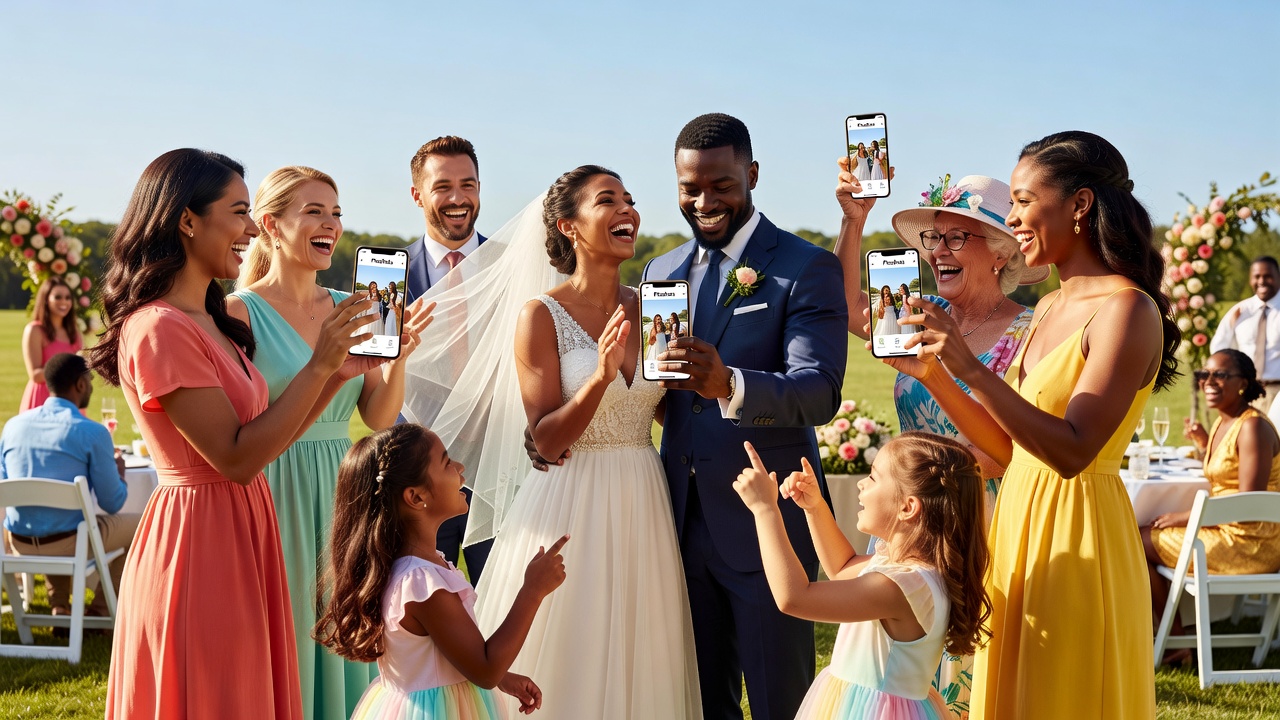
Picshots family guest photo capture for weddings: Family + Friends = Your Secret Weapon
Quick Answer: Your wedding story isn’t only written by the photographer—it’s revealed through the relationships and perspectives of family and friends. Picshots family guest photo capture for weddings collects those guest moments in one shared space, helping you organize, review, and relive multiple storytelling angles long after the celebration.

Introduction
If you’ve ever looked at your wedding photos and thought, “Wait—where did that moment come from?” you’re not alone. The best wedding memories often come from people who weren’t holding the camera professionally: a sibling who witnessed a quiet emotion, a friend who filmed the exact laugh at the perfect second, a cousin who remembers the scene everyone else missed.
That’s the search intent behind Picshots family guest photo capture for weddings: you want a practical way to gather guest-captured photos (and often videos) into one organized, shared keepsake—without chaos, lost links, or a “we’ll sort this later” pile that never gets sorted.
In this guide, you’ll learn why family and friends create unique storytelling angles, how guest-captured stories work in a wedding context, and exactly how Picshots can help you collect and organize those moments in one place.
Main Section
Why do family and friends tell a different wedding story?
40–60 word answer: Because they’re emotionally closer to the people in the scene. Family and friends notice different details (a glance, a family tradition, a shared inside joke) and react in a way that reflects your relationships—not just the schedule. That perspective creates new angles of emotion your professional photos can’t fully cover.
Here are a few ways family and friends naturally capture “story” rather than just “images”:
- Different vantage points: They’re standing where you aren’t—near the aisle, by the dance floor, or behind the scenes.
- Relationship-specific moments: A best friend sees a private pre-ceremony pep talk; a grandparent sees the tenderness in your hands.
- Emotion in motion: Someone you love might film the exact laugh, the hug that lasts one extra second, or the look you give each other when the room gets loud.
For wedding storytelling, these differences matter because most “memory gaps” aren’t about time—they’re about perspective. Guest-captured photos fill those gaps.
What exactly is “guest-captured storytelling”?
Guest-captured storytelling is a simple idea: give your guests a lightweight way to capture moments (usually via a link or QR code) and collect those captures together so you can review, organize, and relive them as one coherent narrative.
Instead of ending up with scattered screenshots, dead group-chat links, or a hard-to-search shared drive, you build a single “story bank” that includes multiple viewpoints:
- Moments you planned: ceremony shots, speeches, first dance.
- Moments you didn’t plan: a family interaction during photos, a friend’s candid reaction, the little ritual before you walk in.
- Moments you felt: the emotion inside the room—caught by people who were there for the relationships, not the timeline.
Featured snippet tip: Use this mindset: photos are the evidence; storytelling is the meaning. Picshots helps keep the evidence organized so the meaning stays accessible.
How does Picshots family guest photo capture for weddings work?
Picshots is designed to turn guest energy into shared memory. While specific features can vary by plan, the core workflow typically looks like this:
- Share a single collection: Send guests one access point (often a QR code or link) for wedding guest photo capture.
- Guests upload their photos/videos: They capture from their seats, moments, and vantage points—especially the relationships on display.
- You review in one place: You gather the best angles without hunting through multiple chats, email threads, or devices.
- Organize into a keepsake: Build a clearer story arc from ceremony to celebrations (and the quiet in-between).
Why this approach works: it respects a reality of weddings—guests want to be present, not manage files. Picshots reduces friction so more people can share more authentic perspectives.
[Internal link: Wedding photo timeline checklist for families and friends]
[Internal link: How to create a shared wedding album that people actually use]
What should guests capture to maximize storytelling angles?
Don’t just say “take photos.” Give guests prompts that point to story and emotion. Here are prompt ideas that fit a wedding context (and align well with guest-captured moments):
Family moments (the “secret weapon” category)
- Getting-ready micro-traditions: jewelry help, robe buttons, a note passed quietly.
- Reaction shots: the look on a parent’s face during a toast.
- Intergenerational tenderness: grandparent hugs, siblings’ inside jokes, family rituals.
Friends’ perspective (energy you can feel)
- The in-between: walking between rooms, laughter on the way to photos, the moment someone teases you.
- Dance floor “reality”: candid movement, friend-to-friend filming, the crowd’s mood shift.
- Speeches that aren’t just words: hands wiping eyes, nods, laughter timing.
Relationships and emotions, not just landmarks
Try prompts like:
- “Capture a moment that shows what this relationship means.”
- “Film 10 seconds of someone laughing—then stop.”
- “Take one photo that feels like home.”
Practical tip: Prompts perform best when they’re short, specific, and easy to act on in under 30 seconds.
A step-by-step plan for Picshots photo capture (before, during, after)
40–60 word answer: Build success before the wedding: tell guests what to capture, make access simple, and set expectations for privacy and timing. During the event, remind them once at key transitions. Afterward, review and organize the best moments into your wedding keepsake story.
Before the wedding: set expectations without over-managing
- Communicate in one page: Who can upload, what to capture, and when (e.g., “start after the ceremony”).
- Include the access info: Put the Picshots link/QR code on the day-of details.
- Choose a “first reminder” moment: Example: after the ceremony begins, or right after family photos.
During the wedding: prompt at transitions
Guests need nudge at points where emotions spike and cameras naturally come out:
- After the ceremony: Use a quick announcement (or a printed card) to invite uploads.
- Between events: cocktail hour and transition breaks are prime time.
- During speeches: encourage phones for 1–2 meaningful clips (and remind them to enjoy the moment, too).
After the wedding: organize so the story doesn’t disappear
- Sort by “story beats”: ceremony → first dance → speeches → candid family moments.
- Pick highlights while memories are fresh: it’s easier to remember meaning than to remember raw details later.
- Turn the collection into your final keepsake: share curated albums with family, not just “everything we got.”
[External link: The Oral History Association (oral history practices) — a helpful lens for thinking about preserving human moments, not just images]
Common mistakes to avoid (and what to do instead)
Guest photo capture succeeds when you remove friction and protect the wedding vibe. Here are mistakes that commonly cause messy or incomplete collections:
1) “Take photos of everything”
When guests don’t know what matters, they either overwhelm you with duplicates or capture only random landmarks. Instead, give story-based prompts: family reactions, meaningful laughs, and relationship moments.
2) Too many places to upload
Multiple links or group chats create fragmentation. Guests forget which chat is “the right one,” and you lose time merging files. One curated collection is the goal.
3) No reminder at the right time
Guests often want to participate, but weddings are busy. Give one reminder at a high-signal transition (after ceremony, during cocktail hour, or before speeches).
4) Ignoring privacy and comfort
Some guests may feel unsure about uploading photos of others. Set gentle expectations, especially around sensitive moments and consent norms.
Picshots vs alternatives for wedding guest photos
To decide what’s best, compare outcomes: ease for guests, organization for you, and clarity for the story. Here’s a practical comparison:
| Option | Guest experience | Organizer experience | Typical downside |
|---|---|---|---|
| Picshots family guest photo capture for weddings | Simple upload into one shared place | One organized collection with storytelling angles | May require adopting one shared workflow |
| Shared Google Photos/album links | Guests upload if they remember the login | Can be messy with duplicates and inconsistent naming | Not always story-driven or curated |
| Group chat + manual collection | Fast for sending, not for organizing | Time-consuming to compile and curate | Links expire; lots of screenshots |
| Hashtag + downloads | Works if guests post publicly | Hard to filter duplicates and manage access | Privacy concerns and inconsistent participation |
Recommendation: If your priority is turning guest-captured moments into a cohesive wedding keepsake, choose the option that minimizes scattered locations and maximizes one place to review.
Privacy, consent, and comfort at weddings (what to say)
Your goal isn’t surveillance—it’s shared memory. Keep guidance warm and clear:
- Ask for consent for sensitive moments: Encourage guests to avoid uploading photos that make others uncomfortable.
- Use “upload-friendly” times: Suggest uploads during major public moments (ceremony exits, cocktail hour, speeches) rather than intimate one-on-one scenes.
- Explain the why: “We want family and friends to capture the story we can’t see.”
[External link: W3C Web Content Accessibility Guidelines (WCAG) — helpful for understanding inclusive design principles (especially around readable, accessible instructions and instructions text)]
How to turn guest collections into a wedding keepsake
Collecting photos is only step one. The “secret weapon” is turning those angles into meaning. Try this process:
- Create story beats: “Before you walk in,” “The vows and reactions,” “Speeches,” “The dance floor,” “Family goodbye.”
- Annotate lightly: Add simple notes like “Aunt’s reaction” or “Sibling tradition moment.”
- Curate for each relationship: Send grandparents a different highlight set than friends.
When you do this, guest-captured stories stop being “content” and become a memory artifact with emotional structure.
How much does Picshots cost?
Pricing typically depends on the plan and the size/needs of the event (for example, how long the collection stays available and what features you need). Instead of focusing only on cost, compare the value of:
- Your time saved (collecting, merging, sorting)
- More complete storytelling (more viewpoints, fewer gaps)
- Better sharing with family and friends after the wedding
If you share your budget range, you can choose the plan that matches your priorities—like “maximum guest participation” or “curation and organization.”
Key Takeaways
- Family and friends capture unique storytelling angles because they notice different details and emotions.
- Guest-captured storytelling works best with prompts that focus on relationships, not landmarks.
- Picshots family guest photo capture for weddings consolidates guest photos into one shared place so the story stays organized.
- One collection + right reminders beats scattered uploads every time.
- Curate by story beats after the wedding to turn the collection into a keepsake.
Frequently Asked Questions
How do I get family and friends to actually upload photos during the wedding?
Make it easy and timely. Share one clear upload link/QR code, then remind guests once at a high-signal transition (after the ceremony or during cocktail hour). Give short prompts like “capture a family reaction” so guests know what to look for.
Is guest photo capture going to distract from the wedding?
It can—if you try to micromanage. Keep prompts simple and limit the “upload moments” to public transitions. Encourage guests to put the phone down when they want to enjoy, too. The goal is shared memory, not filming everything.
What moments should guests prioritize for wedding storytelling?
Prioritize emotional, relationship-driven moments: getting-ready micro-traditions, reactions during vows/speeches, candid laughter during transitions, and family interactions you don’t see. These are the moments that add meaning and fill gaps in your main photo coverage.
Can we include videos, not just photos, in guest collections?
Many guest photo capture workflows support both photos and short videos, which helps preserve tone—laughs, pauses, and real-time reactions. If you want a mix, set expectations gently in your prompts and keep instructions short so guests don’t overthink formats.
How do we manage privacy and consent with guest uploads?
Set a warm expectation: avoid uploading images that make others uncomfortable, especially in sensitive moments. Encourage guests to focus on public, celebratory events. Clear instructions reduce uncertainty and help everyone feel comfortable participating.
Will duplicates or low-quality uploads ruin the collection?
Duplicates happen anywhere people share on devices. The upside of a single consolidated collection is that you can review and curate highlights afterward. Use story beats to guide selection so the final keepsake still feels cohesive.
What’s better: a hashtag, shared album link, or Picshots?
Hashtags can raise privacy concerns and lead to inconsistent participation. Shared album links often require extra steps or logins. Picshots family guest photo capture for weddings typically focuses on one shared place with story-based guidance—making it easier for guests and organizers.
How do we turn guest uploads into a wedding photo book or slideshow?
First, curate by story beats (ceremony reactions, speeches, dance floor energy, family moments). Then add light annotations or captions for context. Finally, select a consistent number of highlights per beat so the slideshow feels like a narrative, not a random feed.
Conclusion
Your wedding story isn’t only captured by who you hired—it’s also captured by who showed up with love. Family and friends bring relationship-rich perspectives that reveal the emotions you can’t see from the front of the aisle. With Picshots family guest photo capture for weddings, you can collect those guest-captured angles in one shared place and turn them into a keepsake that feels complete.
Ready to make your wedding memories more full? Set up your Picshots guest capture, share prompts that guide storytelling, and plan one easy reminder—so every loved one can contribute to the story you’ll revisit for years.
Quick answers
How do I get family and friends to actually upload photos during the wedding?
Make it easy and timely. Share one clear upload link/QR code, then remind guests once at a high-signal transition (after the ceremony or during cocktail hour). Give short prompts like “capture a family reaction” so guests know what to look for.
Will guest photo capture distract from the wedding?
It can—if you try to micromanage. Keep prompts simple and limit reminders to public transitions. Encourage guests to put the phone down when they want to enjoy. The goal is shared memory, not filming everything.
What moments should guests prioritize for wedding storytelling?
Prioritize relationship-driven moments: getting-ready micro-traditions, reactions during vows and speeches, candid laughter during transitions, and family interactions you don’t see. These fill memory gaps and add meaning beyond standard ceremony coverage.
Can we include videos, not just photos, in guest collections?
Many guest photo capture workflows support both photos and short videos, which preserves tone—laughs, pauses, and real-time reactions. If you want both, set expectations in your prompts and keep instructions short.
How do we manage privacy and consent with guest uploads?
Set a warm expectation: avoid uploading images that make others uncomfortable, especially in sensitive moments. Encourage guests to focus on public, celebratory events. Clear, kind instructions reduce uncertainty and help everyone participate comfortably.
Is Picshots better than a hashtag or shared album link?
Hashtags can lead to inconsistent participation and privacy concerns. Shared album links may require extra steps or logins. Picshots family guest photo capture for weddings is built to consolidate uploads in one organized place, making curation and storytelling easier.
How do we turn guest uploads into a slideshow or album?
Curate by story beats (ceremony reactions, speeches, dance floor energy, family moments). Add light captions for context, then select a balanced set of highlights per beat. This turns raw uploads into a coherent narrative keepsake.