
Wedding QR codes
How to Choose the Best Guest Photo Sharing Method for Your Wedding
A decision guide comparing every guest photo sharing method — hashtags, shared albums, apps, QR codes, disposable cameras, and file folders — with a practical checklist to help couples choose what actually works.
You want every photo your guests take at your wedding. Not just the ones your photographer captures — the real ones. The table laughter, the dance floor chaos, the kids running between chairs, the quiet hug your grandparents shared during dinner. These are the moments that make wedding guest photos irreplaceable.
But collecting them is the problem. You send a group chat message after the honeymoon and half the guests have already flown home. You set up a shared album and three people use it. You ask everyone to download an app and nobody does. Guest photo sharing sounds simple until you try it with 100 people who all have different phones, different habits, and different ideas about how to share a photo.
This guide walks through every major guest photo sharing method — wedding hashtags, shared albums, dedicated apps, QR code solutions, disposable cameras, and file upload folders — so you can compare them side by side and choose the one that actually works for your wedding.
Why Guest Photo Sharing Is Harder Than It Looks
Here is the core problem: weddings are mixed audiences. Your college friends use Instagram. Your aunt uses Facebook. Your grandmother has a flip phone. Your coworker has an Android. Your cousin has an iPhone. Asking all of them to use the same app, the same account, or the same workflow is a recipe for low participation.
The best guest photo sharing method is the one with the lowest friction. If it takes more than a few seconds for a guest to understand, they will skip it. If they have to download something, create an account, or remember a link after two glasses of champagne, you will get photos from your most patient friends and silence from everyone else.
Every method below tries to solve this problem differently. Let's compare them.
Method 1: Wedding Hashtags (Social Media)
How it works: You create a unique wedding hashtag, print it on signs and programs, and ask guests to tag their social media posts. You search the hashtag after the wedding to find guest photos on Instagram, Facebook, or TikTok.
- Pros: Free. Guests already know how to use social media. Photos are captured in the moment.
- Cons: Privacy and algorithm changes mean you will not see everything. Instagram does not show you every post with your hashtag — it shows you what its algorithm decides is relevant. Private accounts do not appear in hashtag searches at all. Some guests do not use social media. Others do not want their wedding photos on a public platform. You will likely miss 50-70% of guest photos this way.
- Best for: Couples who only want a few social-worthy shots and do not mind missing the rest.
Method 2: Shared Albums (Google Photos, iCloud)
How it works: You create a shared album in Google Photos or iCloud, send the link to guests, and they upload their photos after the wedding.
- Pros: Free. Familiar to many users. Decent organization.
- Cons: Friction. Google Photos requires a Google account. iCloud requires an Apple ID. Many guests do not realize they can upload to a shared album without the app, so they skip it. The link gets buried in group chats. You end up chasing people for photos — the exact problem you were trying to solve. No live gallery, no host controls, no QR code moment. For a deeper comparison, see Picshots vs Google Photos shared album.
- Best for: Small, tech-savvy groups where everyone already uses the same ecosystem.
Method 3: Dedicated Wedding Apps (WedPics, POV, Guestscamera)

How it works: You ask guests to download a wedding photo app, create an account, and upload photos through the app interface.
- Pros: Structured experience. Often includes fun features like filters, frames, or guest books. More organized than a folder.
- Cons: The app install barrier is the single biggest participation killer at weddings. Asking 100+ guests to download an app, create an account, and figure out the interface during a party is a recipe for low turnout. You will get photos from your most patient friends and silence from everyone else. Also note: WedPics, one of the original wedding photo apps, shut down around 2019 — a reminder that app-dependent solutions come and go. For a comparison, see Picshots vs WedPics and Picshots vs Guestscamera.
- Best for: Couples who do not mind low participation in exchange for a structured app experience.
Method 4: QR Code Solutions (Picshots)
How it works: You create an event on Picshots, print one QR code on table cards and your welcome sign, and guests scan it with their phone camera. A digital disposable camera opens in their browser — no app photo sharing at its simplest. They type their name and start shooting. All photos and videos land in one shared gallery, live all night.
- Pros: No app download. No account creation. Guests scan and shoot in seconds. This is the single biggest advantage QR code photo sharing has over every other method. You get a live gallery, host controls (photo approval, private mode, one-tap reveal), per-guest shot limits that keep the gallery curated, and a ZIP download of everything after the wedding. Free for up to 10 guests. Paid tiers are pay-once per event — not a subscription.
- Cons: No printed strips on the spot. If you want physical prints, order them from the gallery afterward. Requires guests to have their phone (which they already do).
- Best for: Couples who want maximum participation, candid coverage from the whole room, and a gallery they control. This is the method we recommend for most weddings. For more on how it works, see the Picshots how-it-works page.
Method 5: Disposable Cameras on Tables
How it works: One or two disposable cameras per table, guests snap photos, and you develop the film after the wedding.
- Pros: Nostalgic charm. Works as table decor. No technology required.
- Cons: Film quality is unreliable — many shots come back dark, blurry, or double-exposed. Cameras get lost or taken home. No instant review. Developing takes days and costs $10-20 per camera. You are paying for film where half the shots may be unusable. For a comparison, see Picshots vs disposable cameras.
- Best for: Couples who want the nostalgic aesthetic and do not mind paying for unpredictable results.
Method 6: Dropbox or File Upload Folders
How it works: You create a shared folder on Dropbox, Google Drive, or similar, and send guests a link to upload their photos.
- Pros: Free up to storage limits. Simple concept. Good for after-the-fact collection.
- Cons: The friction problem is severe. Opening a folder, selecting photos, and uploading is multiple steps that most guests will not bother with during a party. No live gallery, no QR code simplicity, no curated experience. Good for storage, poor for live-event capture. For a comparison, see Picshots vs Dropbox file request.
- Best for: After-the-fact collection from a few tech-comfortable guests. Not suitable as a primary live-event photo strategy.
Guest Photo Sharing Comparison Checklist
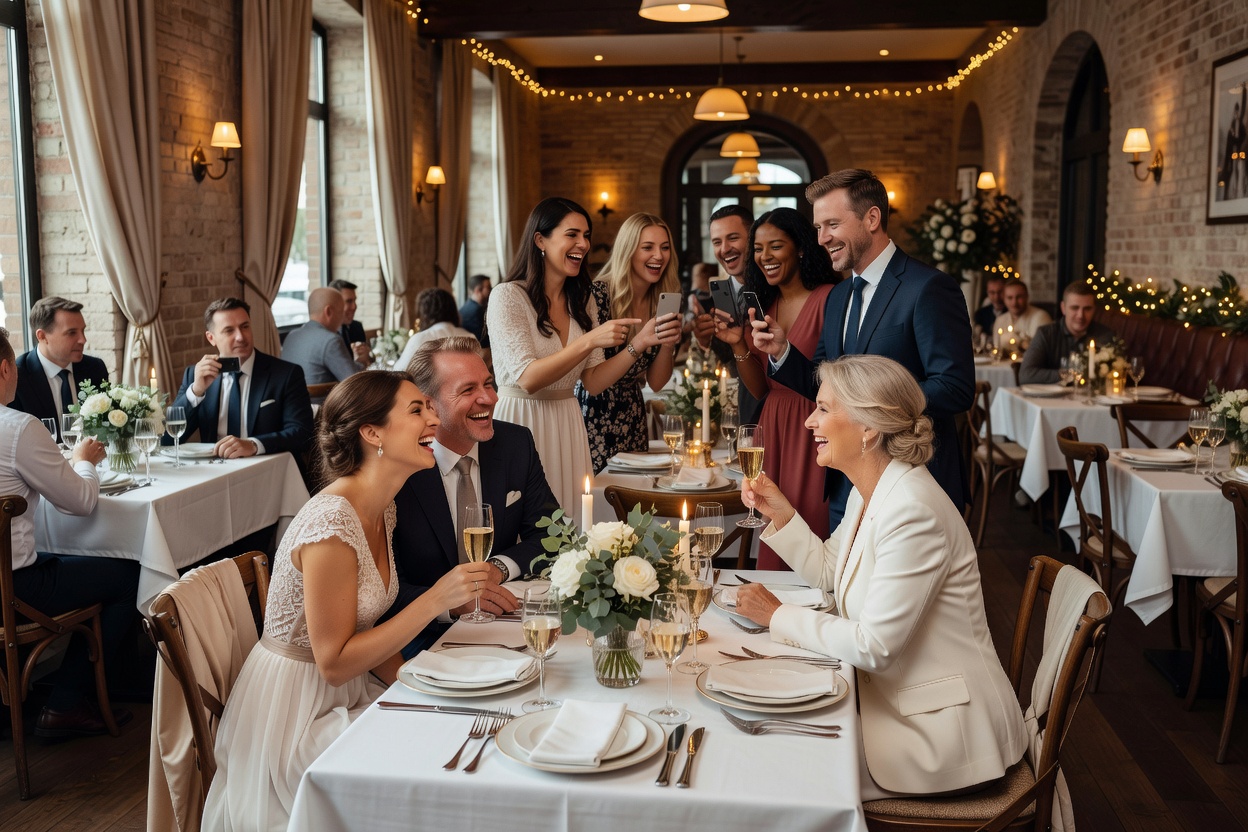
Use this checklist to evaluate each method against what matters most for your wedding. Rate each method on each criterion, then pick the one that wins on your top priorities.
- Ease of use for guests: Can a guest understand the process in under 5 seconds? QR code solutions win here — scan and shoot. Shared albums and apps require multiple steps.
- No app requirement: Does the method require guests to download something? If yes, expect participation to drop by 50% or more. Picshots requires no app — guests shoot from their browser.
- Live gallery: Can guests see photos appearing in real time? Picshots offers a live gallery. Shared albums and folders do not. Social media hashtags sort of do, but you do not control the feed.
- Photo quality: Are photos captured in full resolution? Picshots preserves original quality. Social media compresses images. Disposable cameras produce unpredictable film quality.
- Cost: What does it actually cost? Picshots is free for up to 10 guests and pay-once for larger events ($5-$90 depending on guest count). Social media is free. Shared albums are free. Apps may charge per event or per guest. Disposable cameras cost $160-$350+ for a 10-table wedding.
- Privacy and control: Can you review photos before guests see them? Picshots offers host-controlled private mode and one-tap reveal. Shared albums and social media offer no moderation. Apps may offer some controls.
- Setup time: How long does it take to set up? Picshots takes about 60 seconds. Shared albums take a few minutes. Apps take longer. Disposable cameras require purchasing and placing.
- Guest participation rate: What percentage of guests will actually contribute? No-app QR solutions consistently get 3-5x higher participation than app-based methods. Free options like shared albums and folders typically get 10-20% participation.
The pattern is clear: methods with no app barrier and a simple QR code win on participation, cost, and coverage. Methods that require accounts, apps, or multiple steps lose guests along the way.
How to Decide: Quick Recommendation by Wedding Type
- Outdoor or destination wedding: QR code solution (Picshots) — best coverage across venues, no setup needed at the location.
- Large wedding (100+ guests): QR code solution — one QR on table cards reaches everyone. Apps will get 10-20% participation. QR gets 50-70%.
- Small intimate wedding (under 25 guests): Any method can work. Picshots is free for up to 10 guests. Shared albums work if everyone uses the same platform.
- Nostalgic or vintage-themed wedding: Disposable cameras for the aesthetic, paired with Picshots for the actual photo collection.
- Tech-savvy crowd: QR code or shared album both work. QR still wins on participation.
- Mixed-age crowd (grandparents to Gen Z): QR code solution — the only method that works for every age group without explanation. Grandparents scan. Gen Z scans. Everyone has a phone browser.
For more decision factors, see our existing guide on how to collect photos from wedding guests, which covers the collection process in detail once you have chosen your method. For creative ways to display your QR code, see our wedding QR code ideas post. You can also generate a wedding QR code with our free tool.
Frequently Asked Questions About Guest Photo Sharing
What is the easiest way to collect wedding guest photos?
A QR code guest camera like Picshots is the easiest method. Guests scan one QR code on their table, a camera opens in their browser, and they start taking photos. No app, no account, no link to remember. The QR code is printed on table cards and welcome signs so it is always visible.
Do guests need to download an app to share wedding photos?
With Picshots, no. Guests scan a QR code or tap a link, type their name, and shoot from their phone browser. Nothing to install. This is the main reason QR code solutions get 3-5 times more participation than dedicated wedding photo apps.
Is a wedding hashtag enough to collect guest photos?
Usually not. Instagram and other platforms do not surface every post with your hashtag — their algorithms filter what you see. Private accounts do not appear in hashtag searches at all. You will typically miss 50-70% of guest photos if a hashtag is your only collection method. Use hashtags for social sharing, but pair them with a QR code gallery for actual photo collection.
How much does guest photo sharing cost?
Picshots is free for weddings with up to 10 guests. For larger weddings, paid tiers are pay-once per event: $5 for 25 guests, $15 for 50, $35 for 100, $65 for 175, $90 for 250. There is no subscription. Shared albums and social media are free but have low participation. Disposable cameras cost $160-$350+ for a 10-table wedding plus developing. Apps vary but often charge per event or per guest.
Can I keep guest photos private during the wedding?
Yes, with Picshots. The host dashboard lets you keep uploads private during the event so guests focus on the moment, not their screens. You can review and delete any photo before revealing the gallery with one tap. Shared albums and social media do not offer this level of control.
Ready to Choose Your Guest Photo Sharing Method?
The best guest photo sharing method is the one your guests will actually use. For most weddings, that is a QR code guest camera — no app, no account, no friction. Guests scan, shoot, and the gallery builds itself all night. You download everything as a ZIP, keep the photos you love, and never chase a group chat again.
Picshots is free for up to 10 guests and pay-once for larger events. No subscription, no per-photo fees. Create your wedding event now and let your guests capture the moments your photographer misses.
Quick answers
What is the easiest way to collect wedding guest photos?
A QR code guest camera like Picshots is the easiest method. Guests scan one QR code on their table, a camera opens in their browser, and they start taking photos. No app, no account, no link to remember. The QR code is printed on table cards and welcome signs so it is always visible.
Do guests need to download an app to share wedding photos?
With Picshots, no. Guests scan a QR code or tap a link, type their name, and shoot from their phone browser. Nothing to install. This is the main reason QR code solutions get 3-5 times more participation than dedicated wedding photo apps.
Is a wedding hashtag enough to collect guest photos?
Usually not. Instagram and other platforms do not surface every post with your hashtag — their algorithms filter what you see. Private accounts do not appear in hashtag searches at all. You will typically miss 50-70% of guest photos if a hashtag is your only collection method. Use hashtags for social sharing, but pair them with a QR code gallery for actual photo collection.
How much does guest photo sharing cost?
Picshots is free for weddings with up to 10 guests. For larger weddings, paid tiers are pay-once per event: $5 for 25 guests, $15 for 50, $35 for 100, $65 for 175, $90 for 250. There is no subscription. Shared albums and social media are free but have low participation. Disposable cameras cost $160-$350+ for a 10-table wedding plus developing. Apps vary but often charge per event or per guest.
Can I keep guest photos private during the wedding?
Yes, with Picshots. The host dashboard lets you keep uploads private during the event so guests focus on the moment, not their screens. You can review and delete any photo before revealing the gallery with one tap. Shared albums and social media do not offer this level of control.