
Wedding QR codes
8 Questions to Ask Before Choosing a Guest Photo Sharing Tool
Choosing a guest photo sharing tool for your wedding? Ask these 8 questions about pricing, privacy, guest experience, and more before you commit.
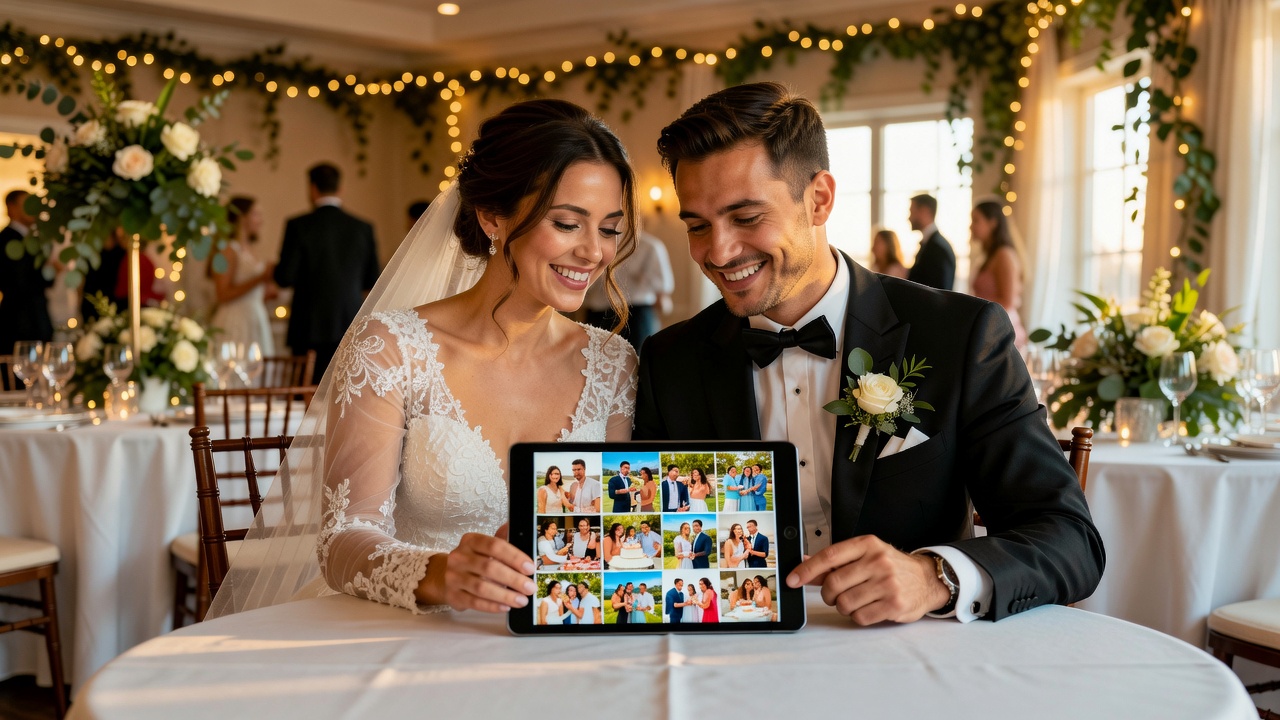
Your guest photo sharing plan can make or break your wedding memories. Your photographer will capture the big moments — the first kiss, the aisle. But the candid, in-between moments? The ones your titos and titas catch on their phones during the money dance, or your barkada snapping selfies at the cocktail hour? Those live on your guests' camera rolls — and without a guest photo sharing tool, you might never see them.
A good wedding photo sharing tool lets every guest contribute photos and videos to one shared album, so you wake up after the wedding to hundreds of candid memories instead of chasing people through Messenger for weeks. But not all tools are created equal — hindi porke't libre, okay na (just because it's free doesn't mean it's good). Before you pick one, ask these eight questions.
1. Do Guests Need to Download an App?
This is the single biggest friction point in guest photo sharing. Some guest photo sharing apps — like WedShoots — require every guest to download a dedicated app first. Others, like WedBox and Picshots, offer no app photo sharing through the browser: guests scan a QR code and start shooting immediately.
At a Filipino wedding with 150 to 300 guests, you're dealing with a wide range of tech comfort levels. Your lola might not know how to find an app in the Play Store. Studies show that requiring an app install drops participation rates by 60 to 80 percent compared to browser-based tools. Test the guest experience yourself: scan the QR code on a phone without the app. If it takes more than two or three taps to upload a photo, maraming guests ang hindi na gagamit niyan (many guests won't bother).

2. What's the Real Cost — and What's Hidden?
Pricing in guest photo sharing is all over the map, and the sticker price rarely tells the full story. Some tools advertise as "free" but come with significant limitations you find post-wedding.
WedBox stores your photos free for two months after the wedding — then charges $2.50 per month to keep your album online. WedShoots is completely free, but it's ad-supported and owned by Bodas.net, a wedding vendor marketplace — meaning your guests' data and attention are part of the business model. Picshots offers a free tier for smaller events (up to 10 guests) with paid plans for larger weddings. The key question: "What happens after the wedding?" Some charge for extended storage, high-resolution downloads, removing watermarks, or adding guests beyond a cap. Get the full pricing breakdown in writing — huwag mag-assume na libre lahat (don't assume everything is free).
3. How Private Is Our Wedding Album?
Privacy isn't just about keeping strangers out — it's about controlling who sees what within your own guest list. Your wedding guest photos include children, vulnerable family members, and private moments. A good guest photo sharing tool gives you granular control over who can view, upload, and download.
WedBox keeps albums private by default — only people you invite can view or contribute. WedShoots gives the couple "absolute power" over the album, including activate, deactivate, remove anyone. But dig deeper: Can guests download other guests' photos, or only their own? Is there a moderation feature that lets you review photos before they appear in the shared gallery? For Filipino weddings, where extended family dynamics can be maselan (delicate), approving photos before they go live can prevent awkward situations. Ask the tool: "Can I review and approve photos before other guests see them?" If the answer is no, think carefully.
4. What's the Guest Experience Actually Like?
You're not the user — your guests are. And your guests range from your tech-savvy college barkada to your lolo who still uses a feature phone. A guest camera app that works beautifully for you but confuses half your guest list is a failed tool.
Test the full guest flow before committing. Can guests join by scanning a QR code, or type one? QR codes are dramatically easier — point a camera and tap. Does the tool support Tagalog or other languages your guests speak? WedBox supports 18 languages, great for mixed-nationality weddings. Can guests upload multiple photos at once? Videos too? Is there a file size limit that might silently fail on high-res photos? The best test: ask a non-technical friend or family member to try it. If they struggle, alam mo na (you already know) — keep looking.
5. Does It Work on Every Phone?
Your wedding guest list is a cross-platform reality. Some guests have the latest iPhone, others a three-year-old Android. A guest photo sharing tool that only works well on one platform only works for half your guests.
Browser-based tools like Picshots and WedBox work on any device with a modern web browser — every recent smartphone. App-based tools like WedShoots need separate iOS and Android versions, and older phones might not support the latest app. But browser-based doesn't automatically mean universal. Test on both an iPhone and an Android. Check that the camera opens correctly, photos upload at full resolution, and the gallery loads properly. Pay special attention to Safari on older iPhones — some camera APIs don't work well there. If you have a friend with an older phone, pahiram mo sandali (borrow it for a moment) and run a quick test.
6. What Happens to Photo Quality?
Not all guest photo sharing tools treat your photos the same way. Some compress images aggressively to save server space, turning crisp shots blurry. Others preserve full resolution but limit how many photos you can store. And some free tools might add watermarks or reduce quality on the free tier.
Here's what to ask: Are photos stored at original quality, or compressed? Can guests upload videos at full resolution? A 4K video should stay 4K, not get downscaled to 720p. Can you download all photos at once in a zip file? Are timestamps and location data preserved? WedBox promises "full quality" downloads. WedShoots offers "high resolution" downloads. Picshots preserves original quality. But don't take marketing claims at face value — upload a test photo, download it, and compare the file size. Mas maganda nang sigurado kaysa magsisi sa huli (better to be sure than to regret it later).
7. Can Our Photographer Contribute Too?
Most couples end up with two separate wedding photo collections: the professional gallery from their hired photographer, and the candid shots from guests. These live in different places — the photographer's site, and whatever guest photo sharing tool you chose. Wouldn't it be better to have everything in one album? That's the promise of unified photo sharing for weddings done right.
Some tools make this easy. WedBox lets you invite your photographer with a private link, and they can upload their full gallery directly to your shared album — professional photos appear alongside guest candids in one unified timeline. Picshots offers similar photographer integration. The best wedding albums mix both: the perfectly lit ceremony shot next to the blurry-but-priceless candid of your ninong dancing that your cousin caught on their phone. Ask the tool: "Can I give my photographer a separate upload link with higher limits?" If yes, you've found a tool that understands how real weddings work. If no, you'll be managing two separate photo collections — and probably never merging them.
8. What Support and Reliability Can We Count On?
Your wedding day is not the time to discover that your guest photo sharing tool's servers went down, or that there's no one to contact when something breaks. Yet this happens more often than you'd think — especially with free tools without reliable infrastructure.
Here's what to investigate: Does the tool have a status page? A tool that's been around since 2016 (like WedBox) with over a million downloads has proven it can handle wedding-day traffic. Is there live chat, email support, or just a FAQ page? Are your photos backed up redundantly? Can you download everything and leave at any time, or are your photos locked into the platform? This is your wedding — you should own every photo, no strings attached. Before committing, send a support email with a question and see how long they take to respond. Kung dalawang araw bago sumagot, paano na sa araw ng kasal mo? (If it takes two days to respond, what happens on your wedding day?)
Making Your Choice: A Quick Comparison
To help you decide, here's how three popular guest photo sharing tools stack up:
- WedBox: No app required, free for 2 months then $2.50/month, private albums, 18 languages, photographer upload, 1M+ downloads since 2016. Best for couples wanting a polished all-in-one experience.
- WedShoots: Requires app download, completely free (ad-supported), high-res downloads, privacy controls, filters and likes, projector mode. Best for budget-conscious couples okay with app-install friction.
- Picshots: No app required (browser-based QR code), free for up to 10 guests with paid plans for larger events, original quality, photographer integration, live gallery. Best for zero-friction guest experience.
There's no single "best" tool — only the best tool para sa inyo (for you). A 50-person intimate wedding has different needs than a 300-guest Filipino celebration. Use these eight questions as your checklist, test the tools yourself, and pick the one that fits your wedding, not someone else's.
Frequently Asked Questions
Is a free guest photo sharing tool good enough for my wedding?
Free tools like WedShoots can work well, but they come with trade-offs: app-install requirements that reduce participation, ad-supported business models, and spotty support. For larger weddings or if you want guaranteed reliability, a paid or freemium tool like WedBox or Picshots is worth the investment. Minsan, ang libre ay mas mahal sa huli — sometimes, free costs more in the end.
How do I get my guests to actually use the photo sharing tool?
The number one factor is friction. Put QR codes on every table, include the code in your wedding program or menu, and have your emcee announce it during the reception. The easier it is to join — ideally just point a camera and tap — the more guests will participate. Browser-based tools consistently see 2-3x higher participation than app-based ones because there's no download barrier.
Can I use a guest photo sharing tool alongside my professional photographer?
Absolutely — and you should. Your photographer captures the polished, editorial-quality shots. Your guests capture the candid, emotional, in-between moments that no photographer can be everywhere for. The best tools let your photographer upload their gallery to the same shared album, creating one complete collection of your wedding day from every perspective.
Ready to collect every candid moment from your wedding? Create your free Picshots event and see how easy it can be — no app downloads, no accounts, just scan and snap.
Quick answers
Is a free guest photo sharing tool good enough for my wedding?
Free tools like WedShoots can work well, but they come with trade-offs: app-install requirements that reduce participation, ad-supported business models, and spotty support. For larger weddings or if you want guaranteed reliability, a paid or freemium tool like WedBox or Picshots is worth the investment.
How do I get my guests to actually use the photo sharing tool?
The number one factor is friction. Put QR codes on every table, include the code in your wedding program or menu, and have your emcee announce it during the reception. The easier it is to join — ideally just point a camera and tap — the more guests will participate. Browser-based tools consistently see 2-3x higher participation than app-based ones because there's no download barrier.
Can I use a guest photo sharing tool alongside my professional photographer?
Absolutely — and you should. Your photographer captures the polished, editorial-quality shots. Your guests capture the candid, emotional, in-between moments that no photographer can be everywhere for. The best tools let your photographer upload their gallery to the same shared album, creating one complete collection of your wedding day from every perspective.